The product

Inside Ops. Screen by screen.

Real screens from a sample consultancy. What you see is what you get on day one.

Ask Ops · AI assistant

Ask like you'd ask a colleague.
Get the number.

Ops knows your projects, customers, hours and invoices. Type the question the way you'd say it and get the answer in seconds: figures up front, next question suggested.

  • Answers from today's data, not last week's report.
  • Read-only: it can't change a thing.
  • Runs in an Azure EU region, and only if you turn it on.
  • Included in every plan.
Ask Ops Live data

Budget vs invoiced on Lumen rebrand?

€12,400 budgeted · €9,300 invoiced.75% billed. Two deliverables left.

In action

How work gets done in Ops

Dragging a project on the kanban board from Offer to Won.
Dragging a task on the board from In progress to Done.
Dragging an opportunity in the pipeline from Identified to Qualifying.
Ctrl K search: type a customer's name, move through the results with the arrow keys and open the record with Enter.
Ops Home switching between its Today, Modules and Flow views.
My reports: the same saved report — expenses by category — as a table, a bar chart and a line chart.

From the Operativa plan

Customers & sales

Who is who at each customer, where every opportunity stands and what you have quoted.

  • Customers & partners: records, contacts, each person's role and influence
  • Relationship map and timeline for every customer
  • Opportunities in a drag-and-drop pipeline
  • Quotations with a link the customer accepts online
  • Product & service catalogue with quantity price bands
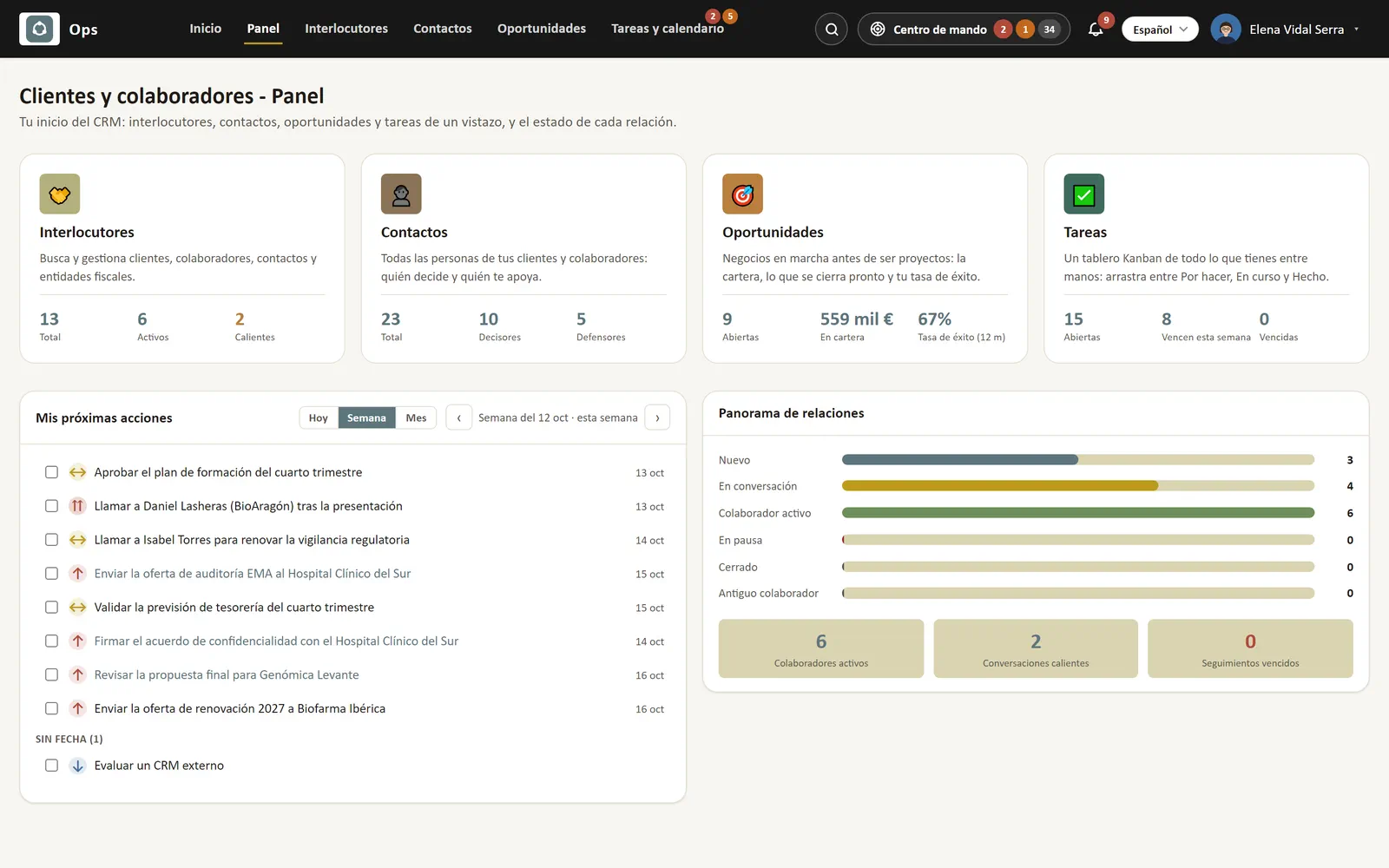
Customers & partners dashboard: partners, contacts, opportunities and tasks at a glance, this week's next actions and the state of every relationship.
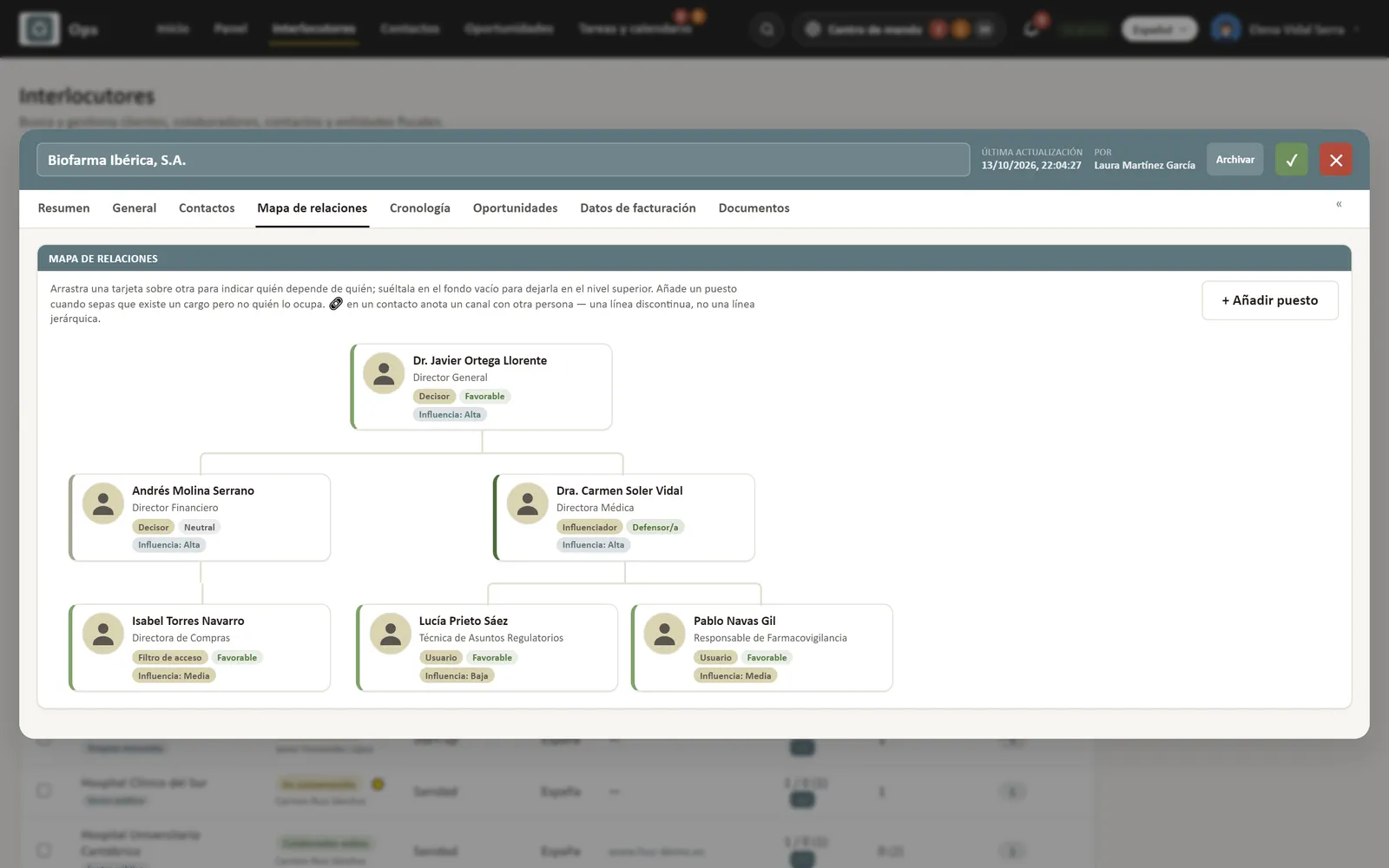
A customer record with its relationship map: who decides, who supports and who influences at Biofarma Ibérica, with the owner of each contact.
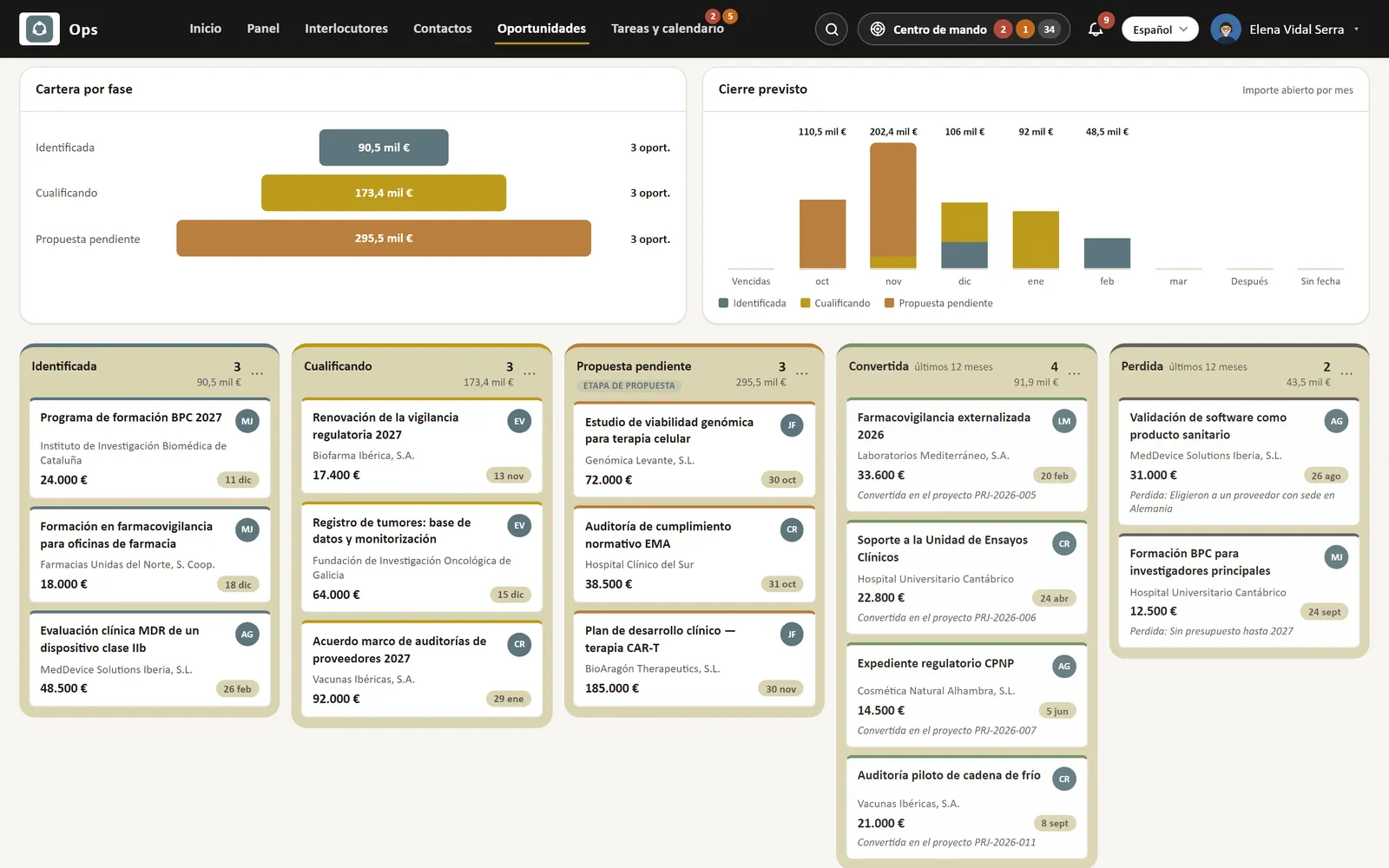
Opportunity pipeline board: identified, qualifying, proposal pending, won and lost, with value, customer, owner and expected close date.
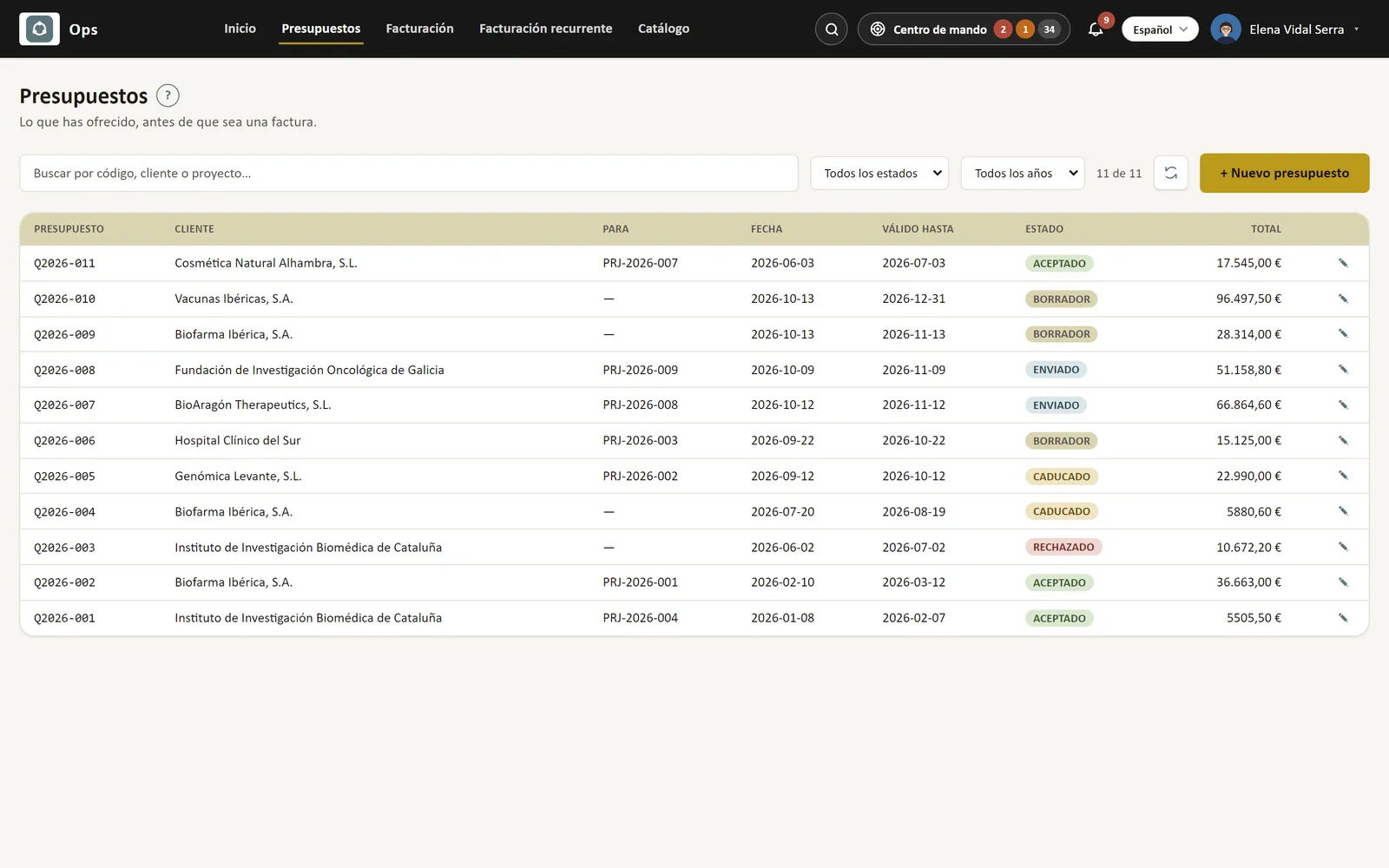
Quotations list with customer, project, issue and expiry dates, status (draft, sent, accepted, expired, rejected) and total.
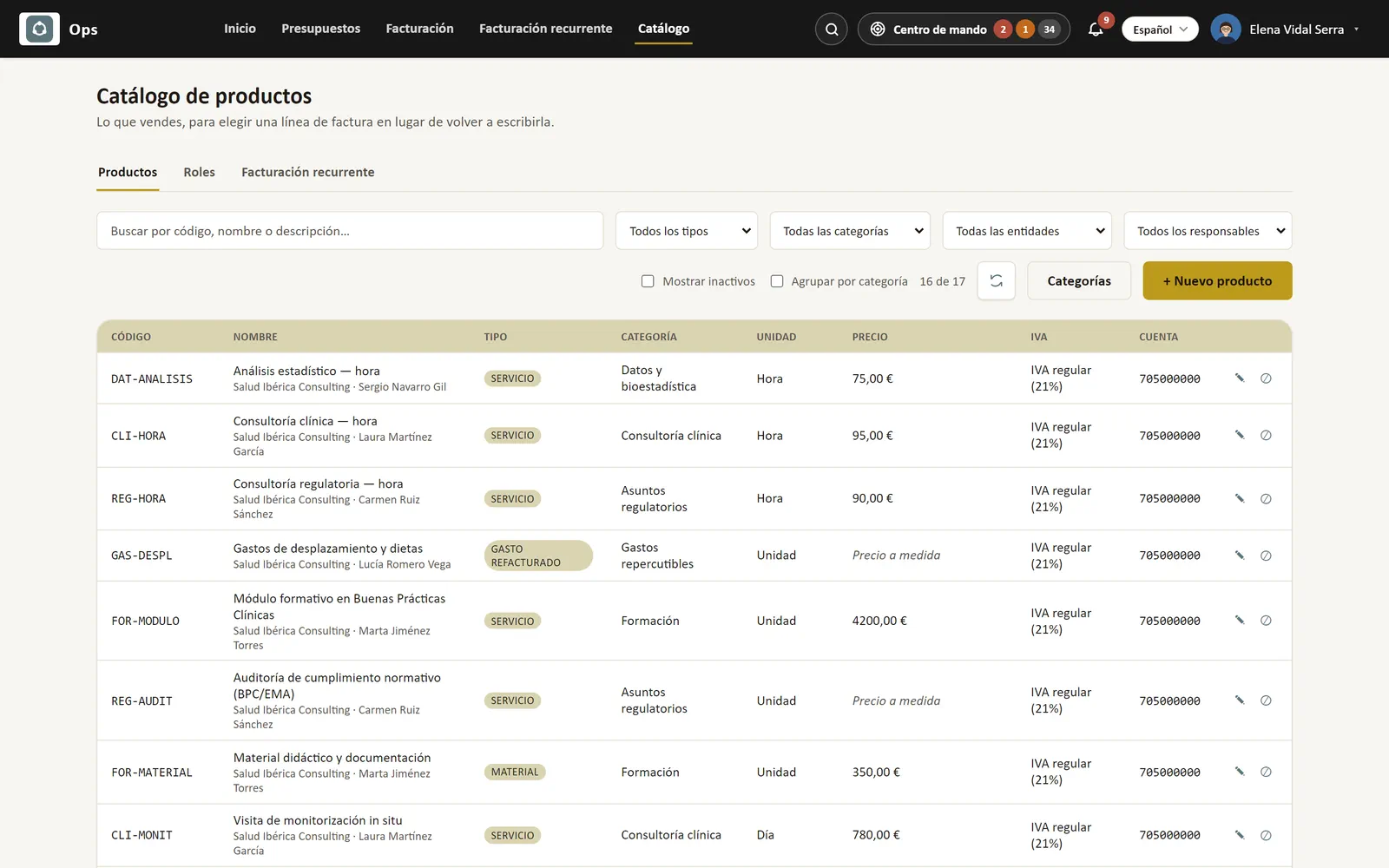
Product and service catalogue: code, type, category, unit, price, VAT and ledger account for everything you sell.

From the Operativa plan

Projects & day-to-day

The portfolio on a board, tasks with an owner and a date, and everyone's hours and clock-ins.

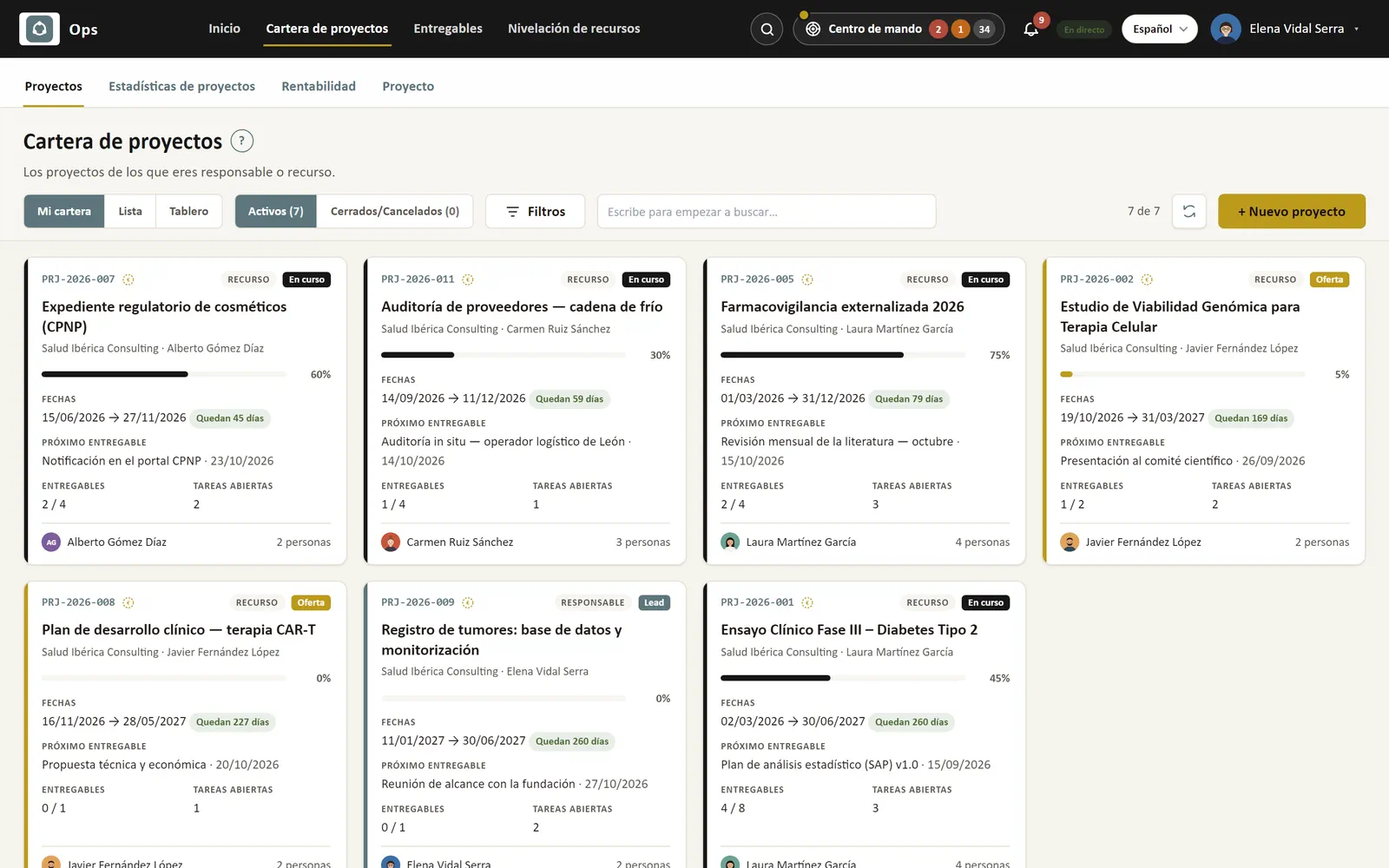
  • Project portfolio as board, list and overview
  • Advanced project management: deliverables, resource levelling, statistics and profitability
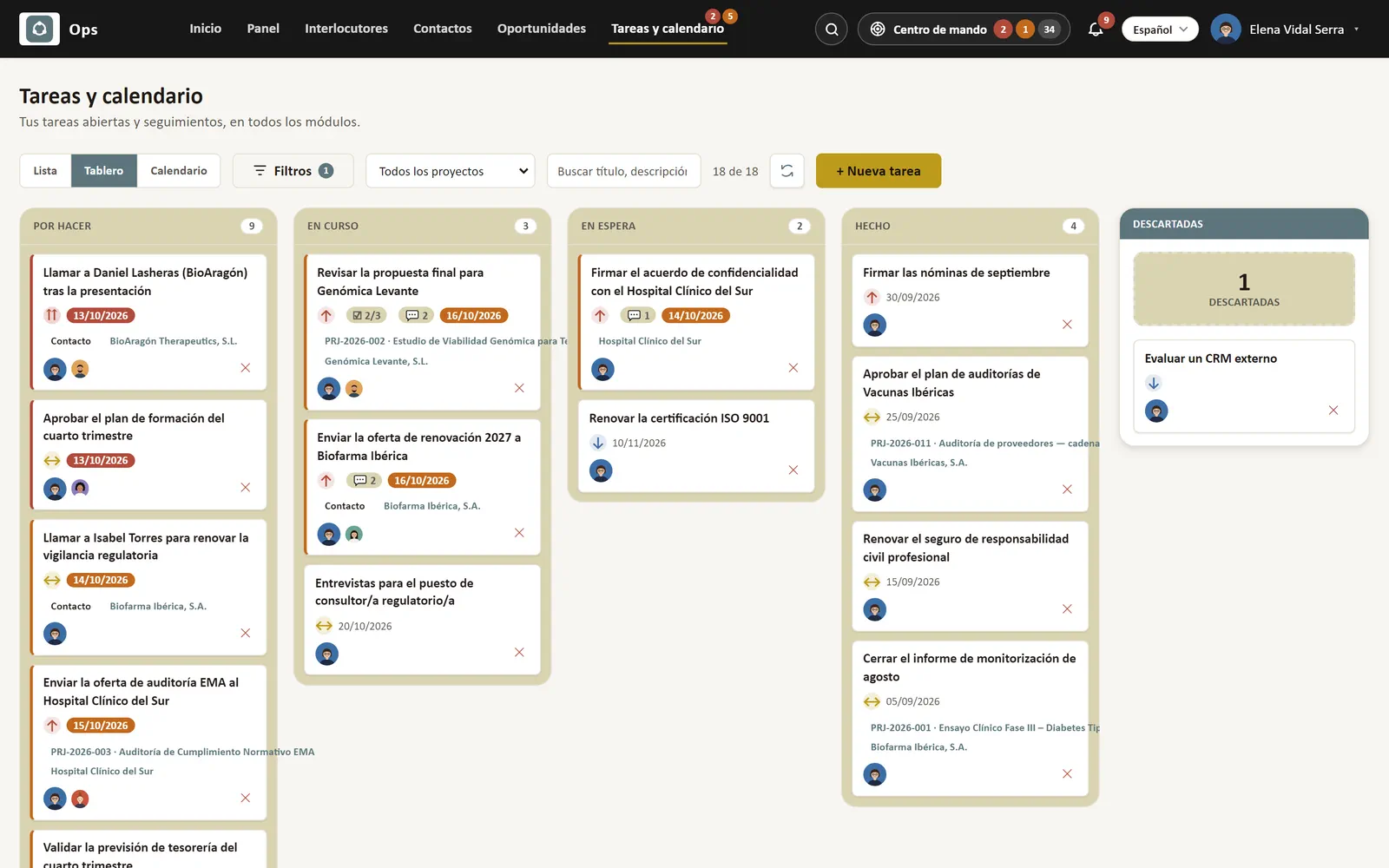
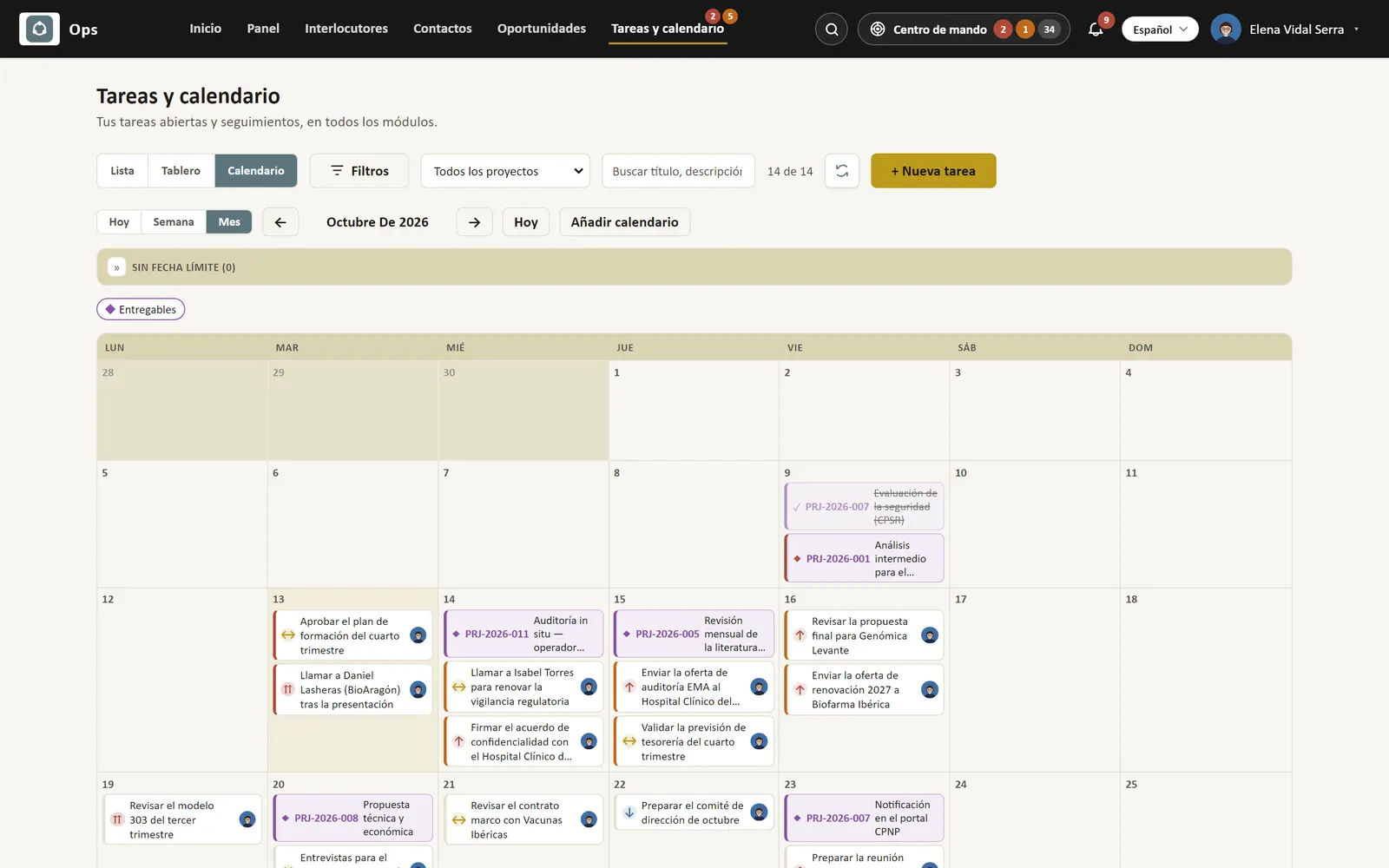
  • Tasks: board, list and calendar, with checklists and @mentions
  • Tasks pushed to your Outlook calendar
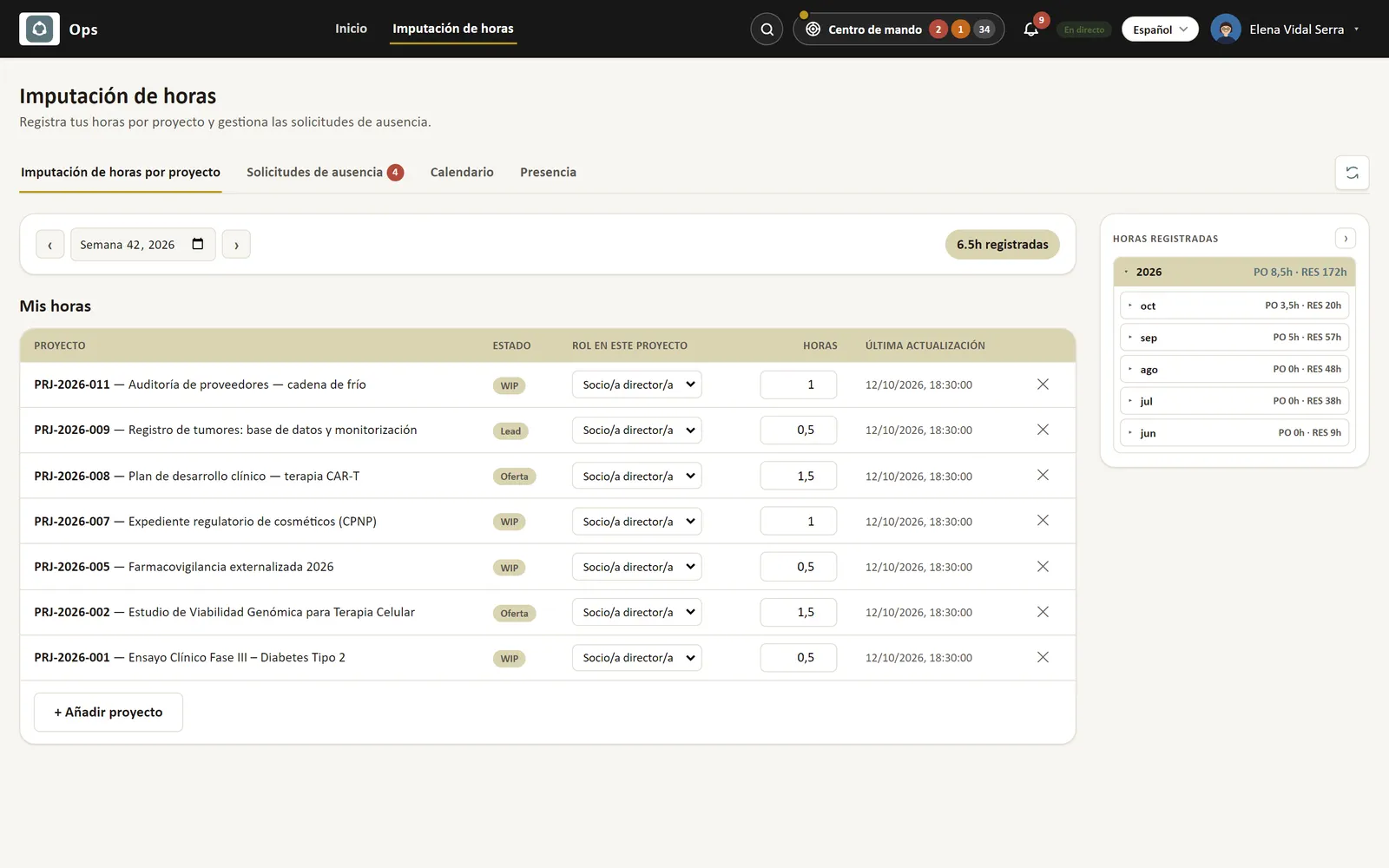
  • Weekly time logging per project
  • Holidays and leave, with approvals
  • Working-time register (Spanish RDL 8/2019), from the phone too
  • Mobile app: clock in, tasks, contacts and calendar
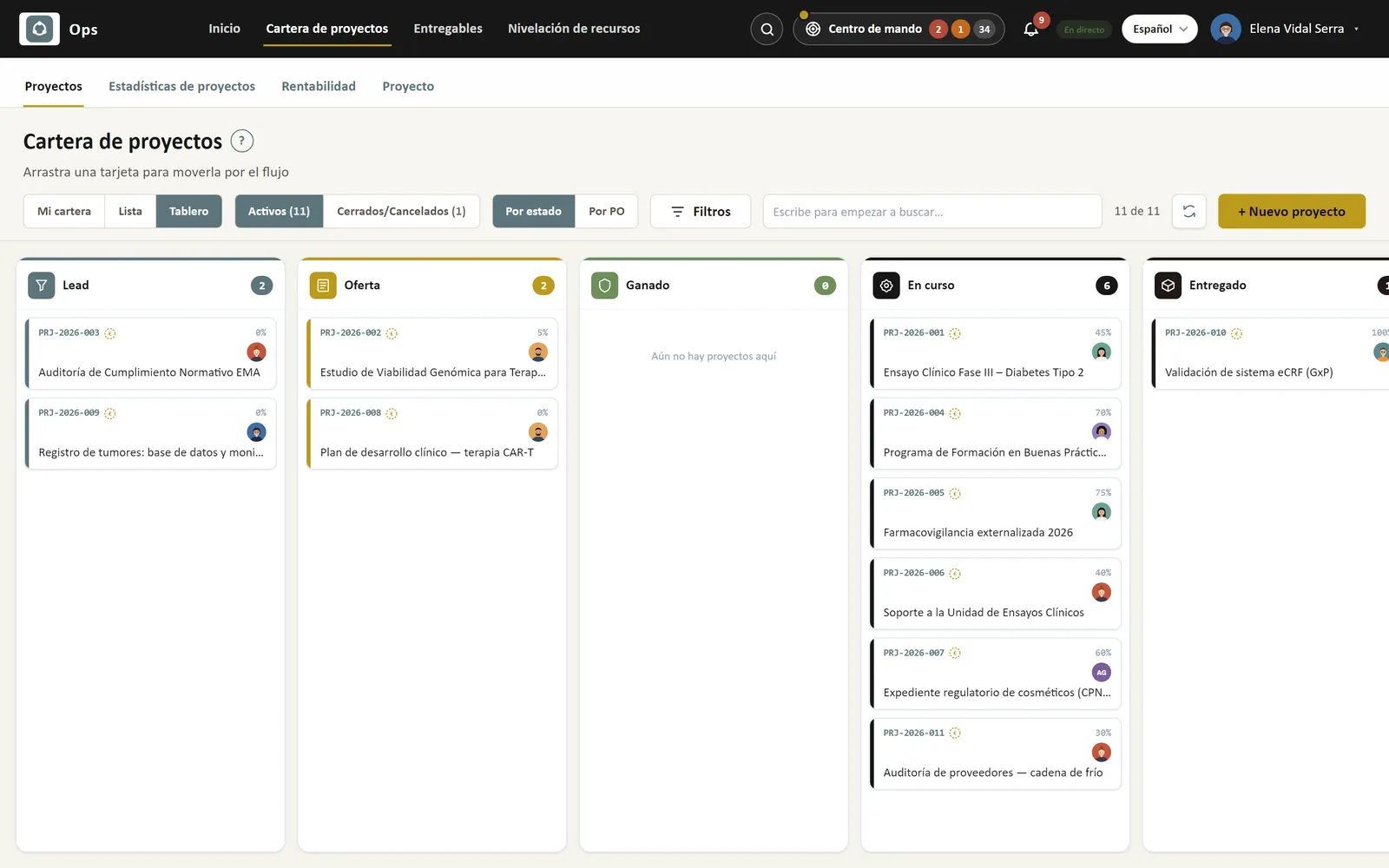
Project portfolio as a kanban board: columns by status (lead, offer, in progress, delivered) with cards showing customer, owner, progress and dates.
My project portfolio: each project with its progress, dates and days left, next deliverable, deliverables done, open tasks and team.
Task board: to do, in progress and done, with priority, due date, subtasks, comments and the project or customer each task belongs to.
Task calendar for October showing the whole team's due dates.
Weekly time tracking by project, with the role on each project and a monthly summary of hours logged.
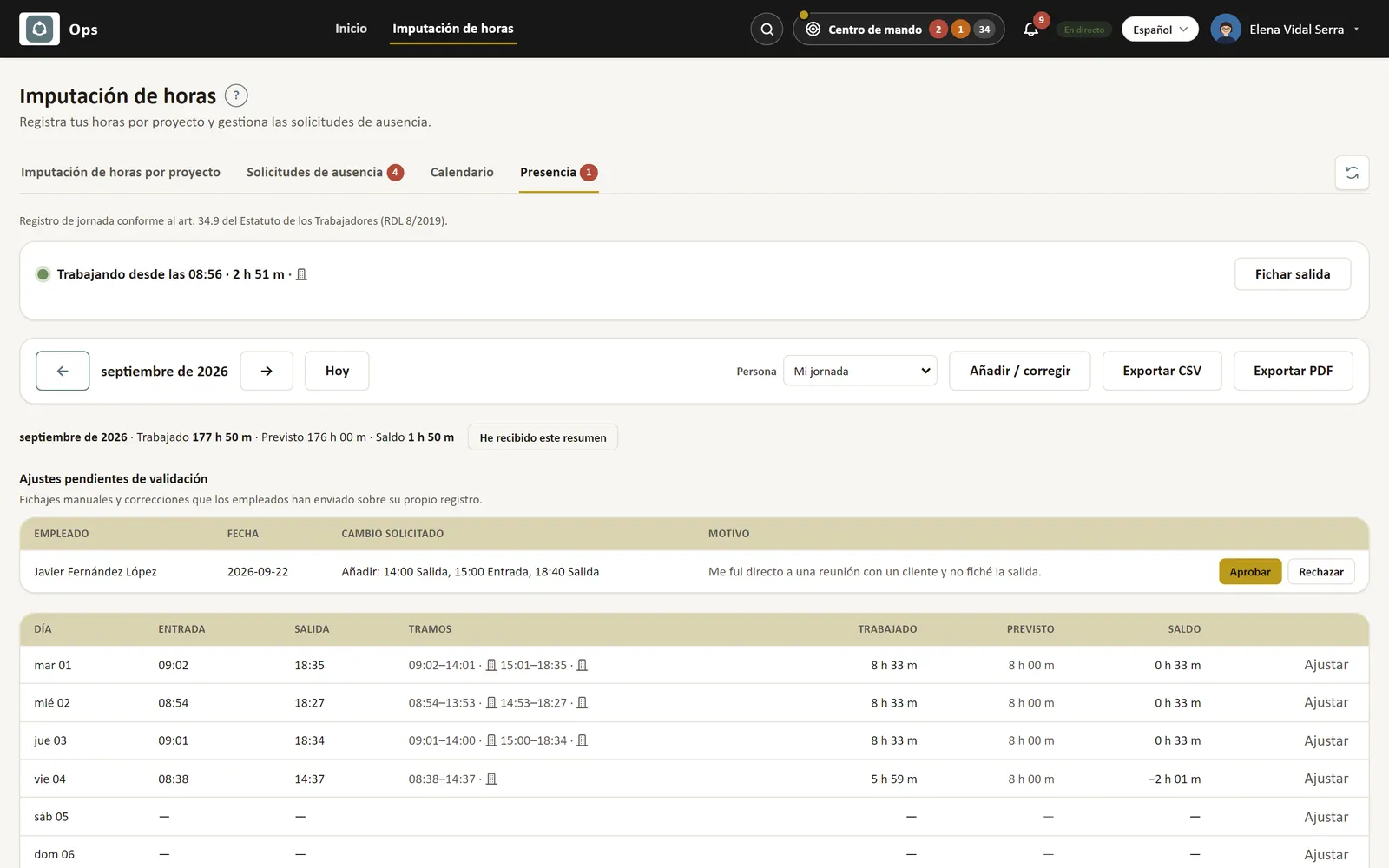
Working-time register (clock in/out) under Spanish labour law: each day's entries and exits, expected and worked hours, and the register's integrity chain.
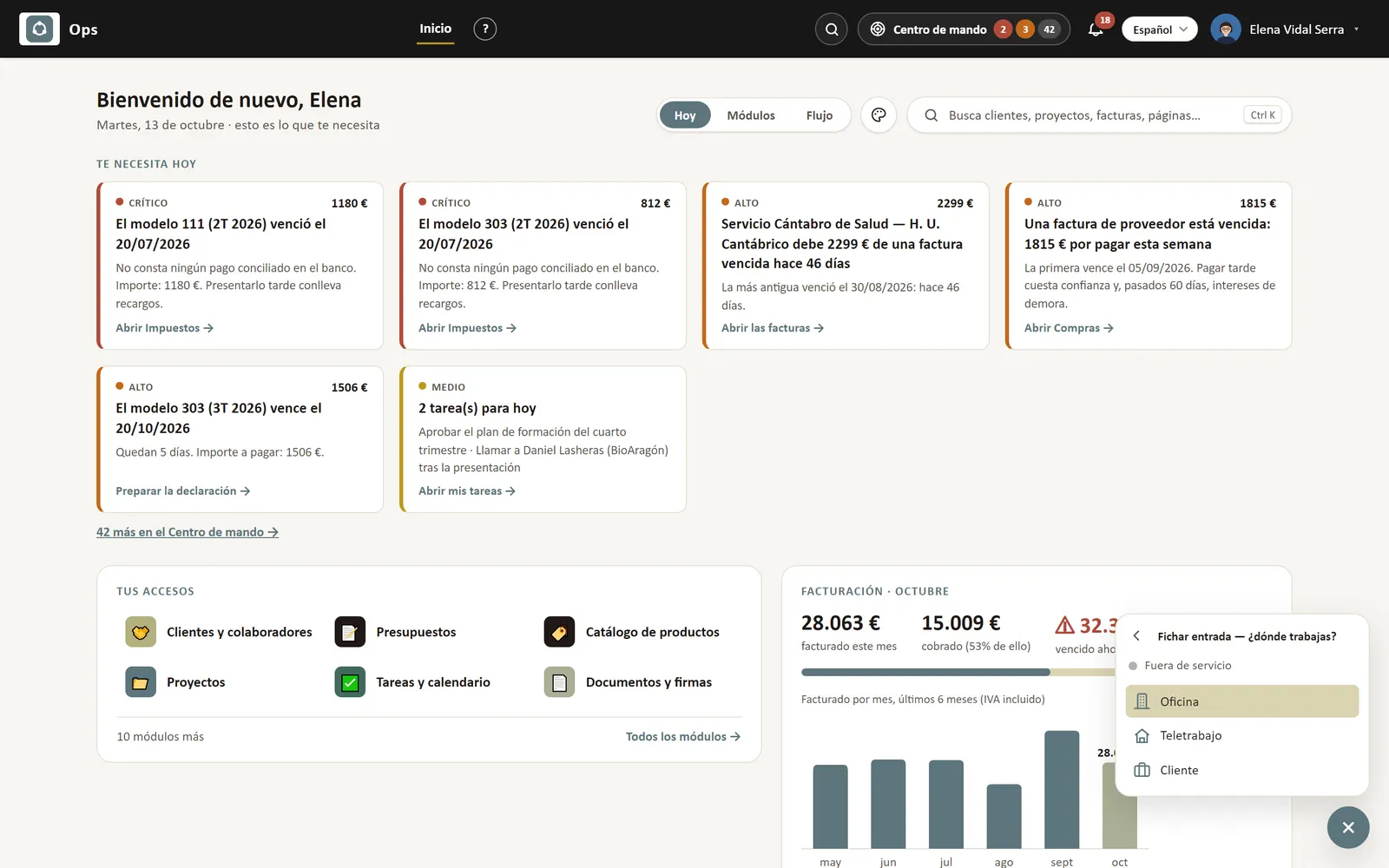
Clocking in from the “+” button: Ops shows where your day stands and you clock in by picking where you work (office, remote or client site), without opening any screen.
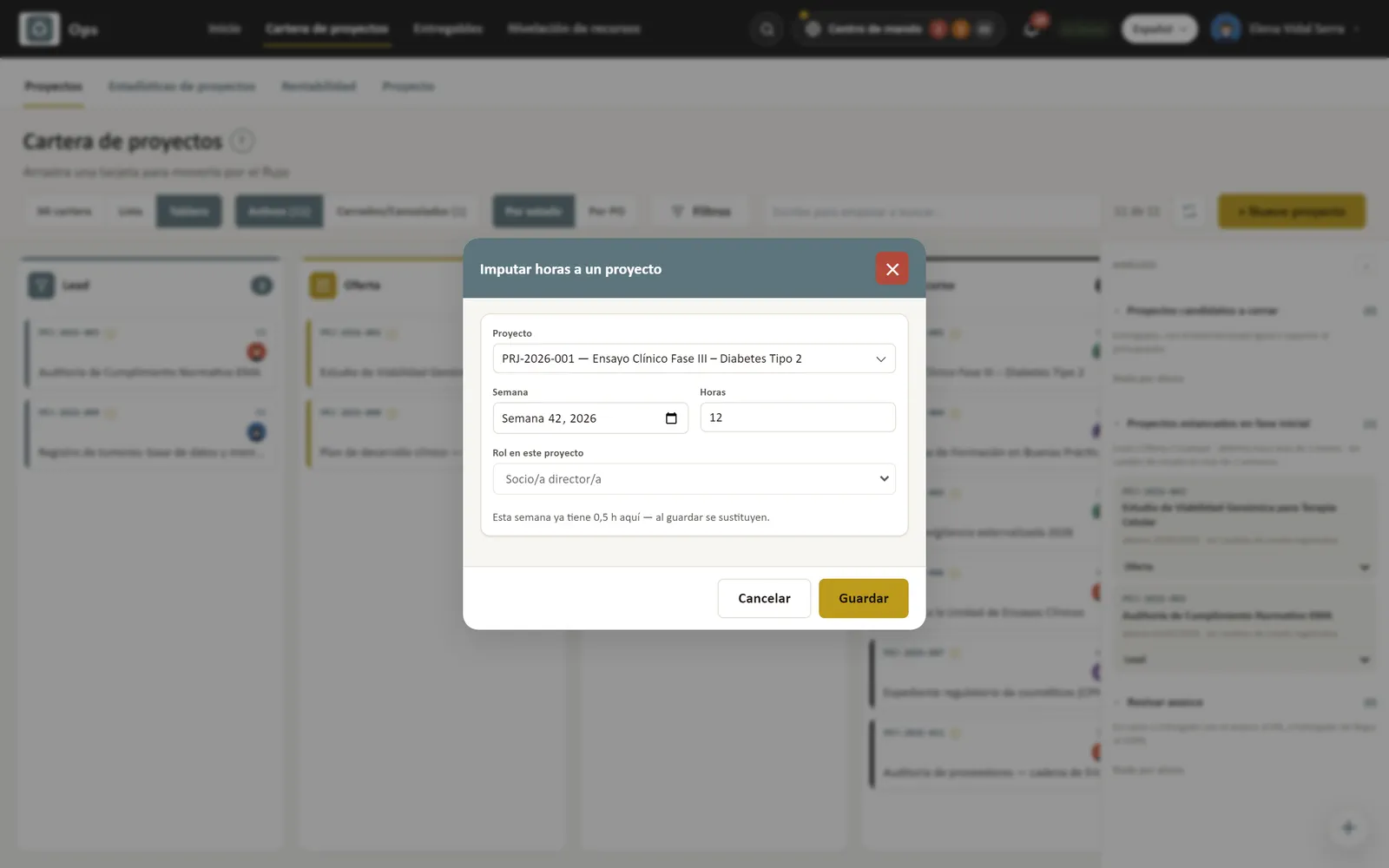
Logging project hours with the “+” button without leaving the project board: project, week, hours and role in one form.

From the Negocio plan

Invoicing, expenses & documents

Veri*Factu invoices made from what happened, expenses from a photo, and documents signed without printing.

  • Veri*Factu invoices, with QR code, sent to the Spanish tax agency
  • Invoices from hours, deliverables and quotations
  • Recurring billing and subscriptions
  • SEPA direct-debit batches
  • Facturae 3.2.2 e-invoices to public administrations (FACe)
  • Customer portal: invoices and quotations behind one link
  • Expenses from a photo of the receipt, on the phone too
  • Documents filed by customer and project
  • Electronic signature of documents
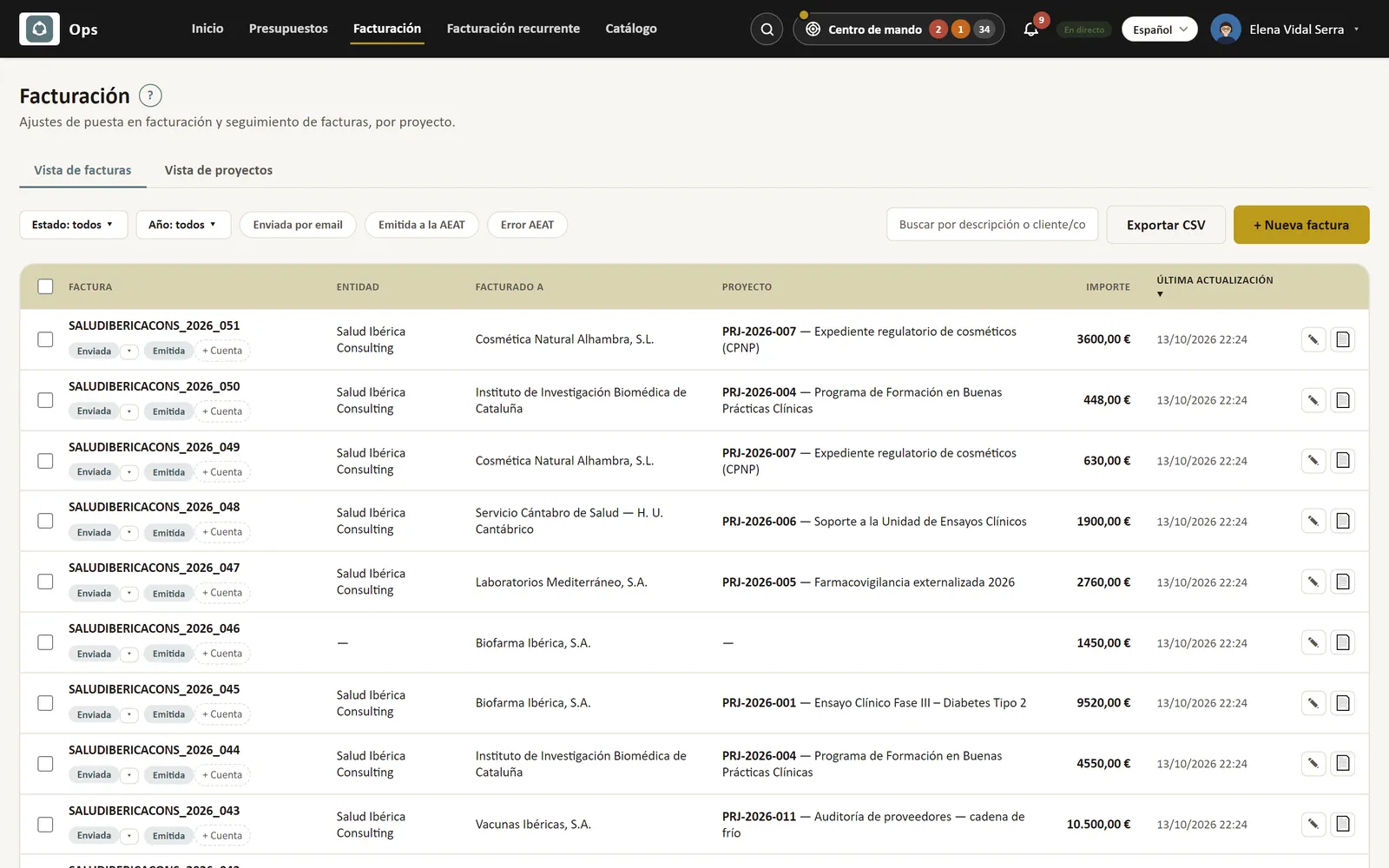
Issued invoices with number, status, customer, project and amount; filters by status, year and submission to the Spanish tax agency.
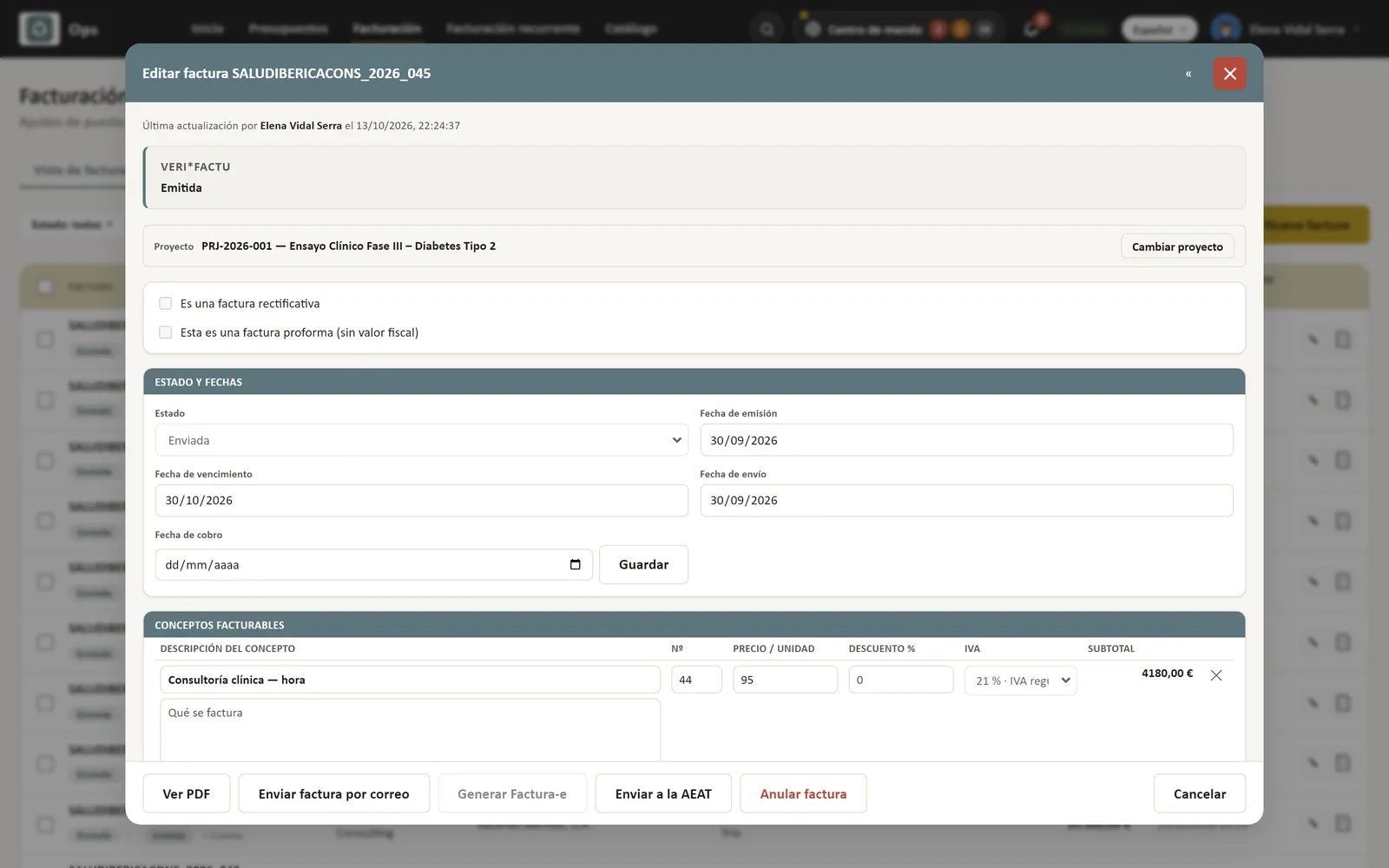
An invoice open in Ops: customer and tax details, project, catalogue lines, VAT, due date and payment status.
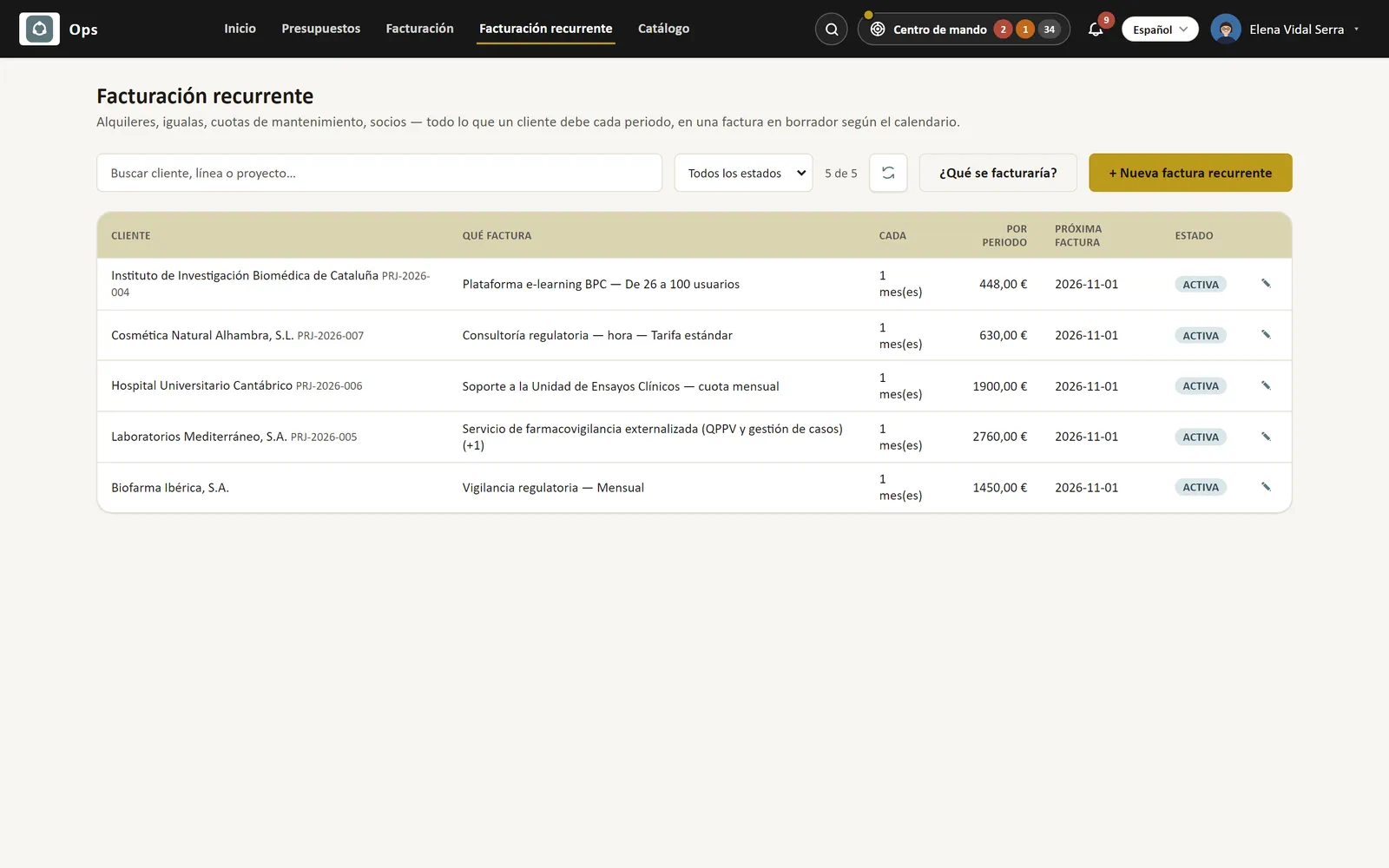
Recurring billing: monthly contracts per customer with what is billed, the amount per period and the next invoice date.
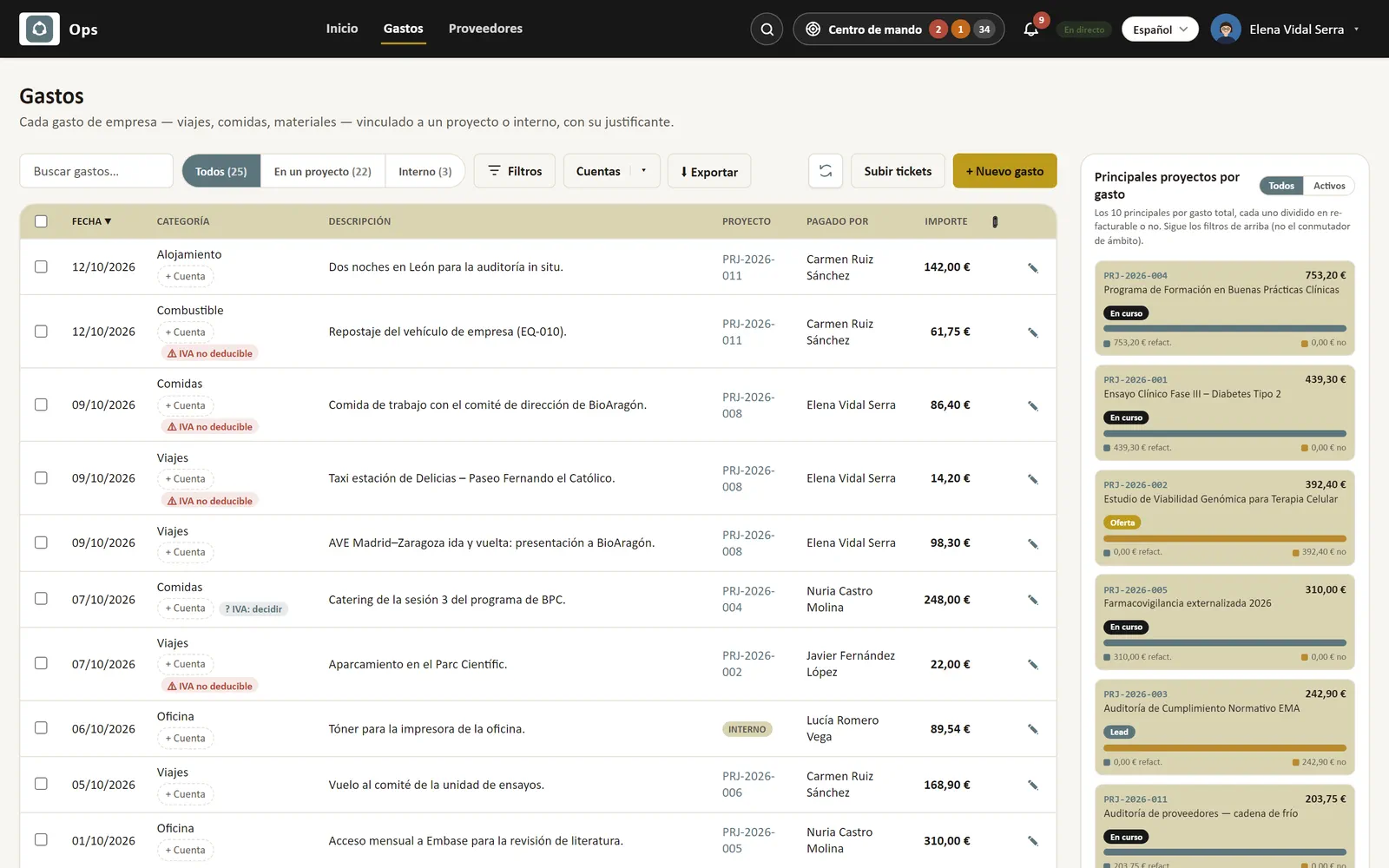
Company expenses with category, project, who paid and amount, non-deductible VAT warnings and the projects with the most re-billable spend.
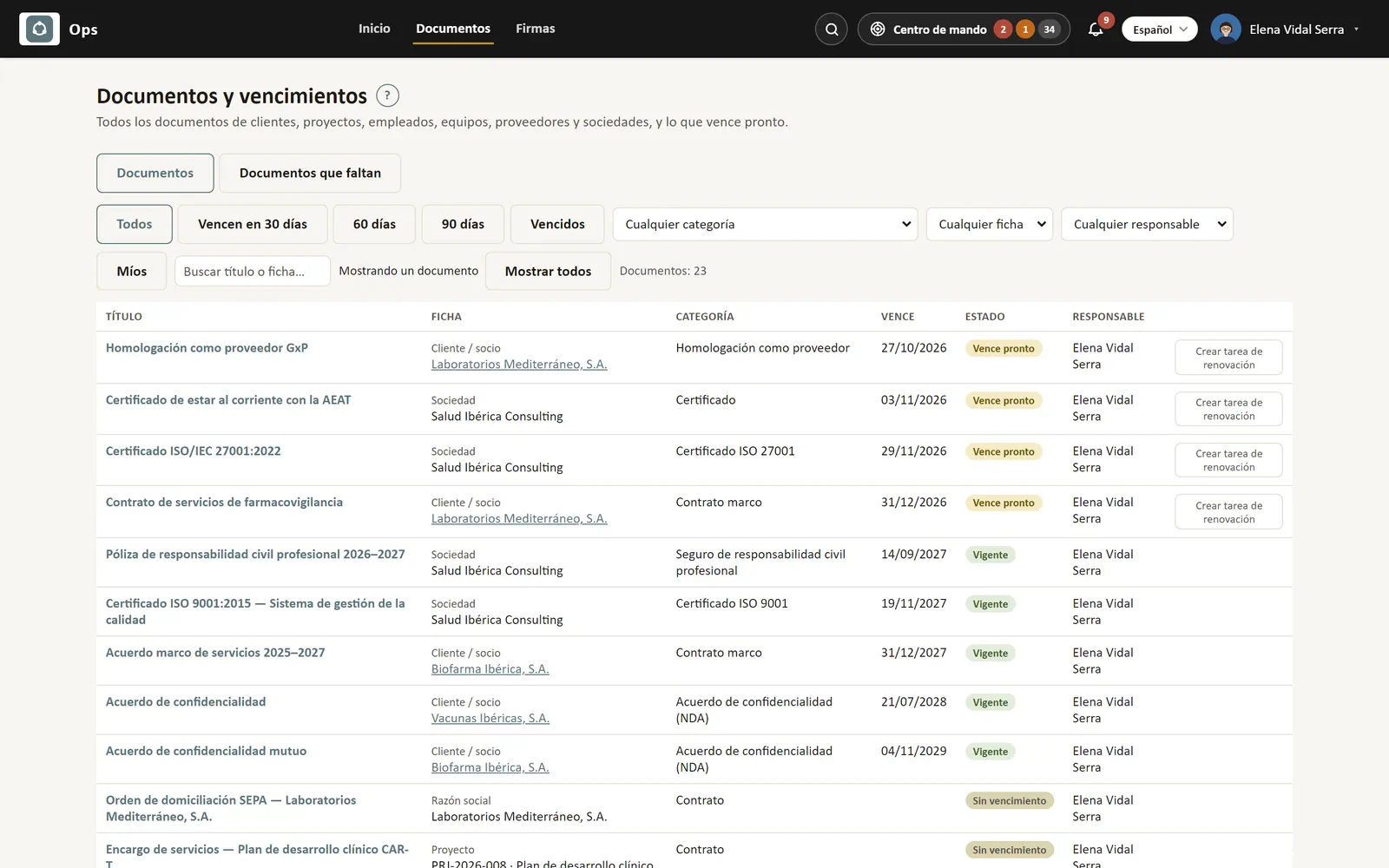
Documents and expiry dates: certificates, framework contracts, insurance policies and NDAs with their record, category, expiry date and status.
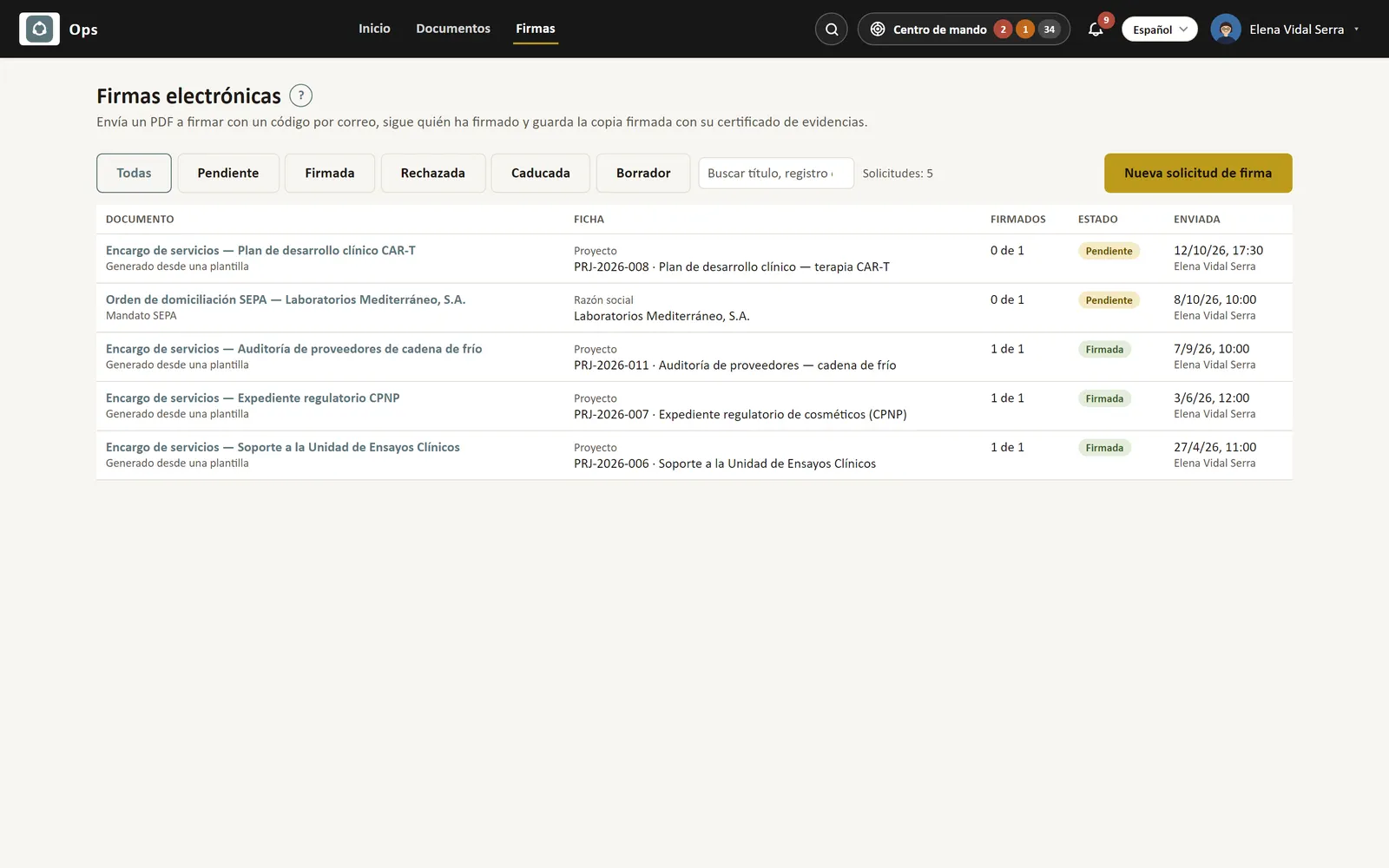
E-signatures: code-based signature requests with their status (pending, signed), signers and date sent.

Integral plan

Accounting & people

The books, the bank, taxes, the team and payroll, next to the work that drives them.

  • Bookkeeping: journal, ledger and balance sheets
  • Bank movements and reconciliation
  • Supplier invoices
  • Spanish tax returns 303, 390, 111, 115 and 190
  • Cash-flow forecast
  • Employees and org chart
  • Payroll
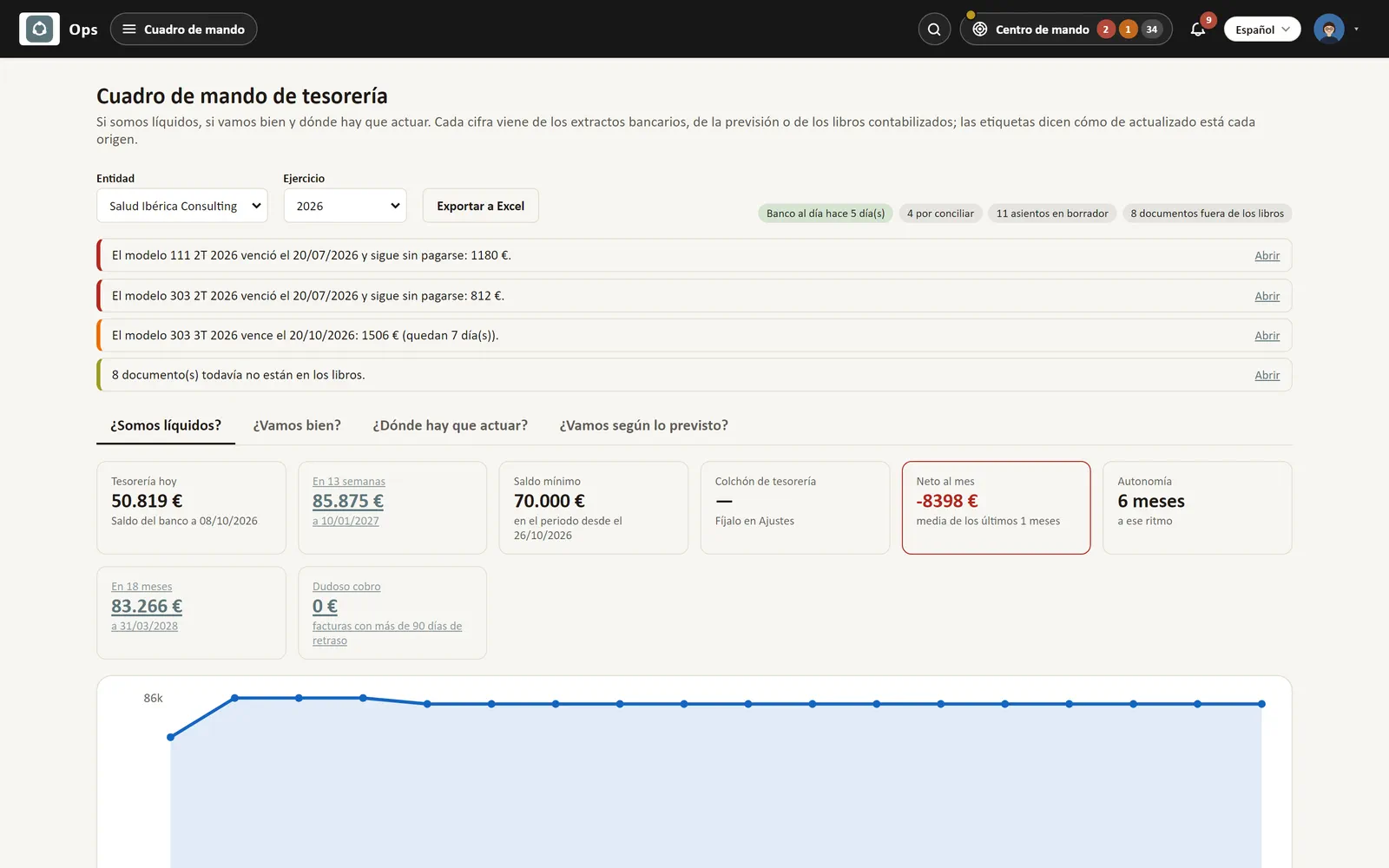
Treasury dashboard: today's balance, 13-week and 18-month forecast, minimum balance, runway and the tax alerts that need action.
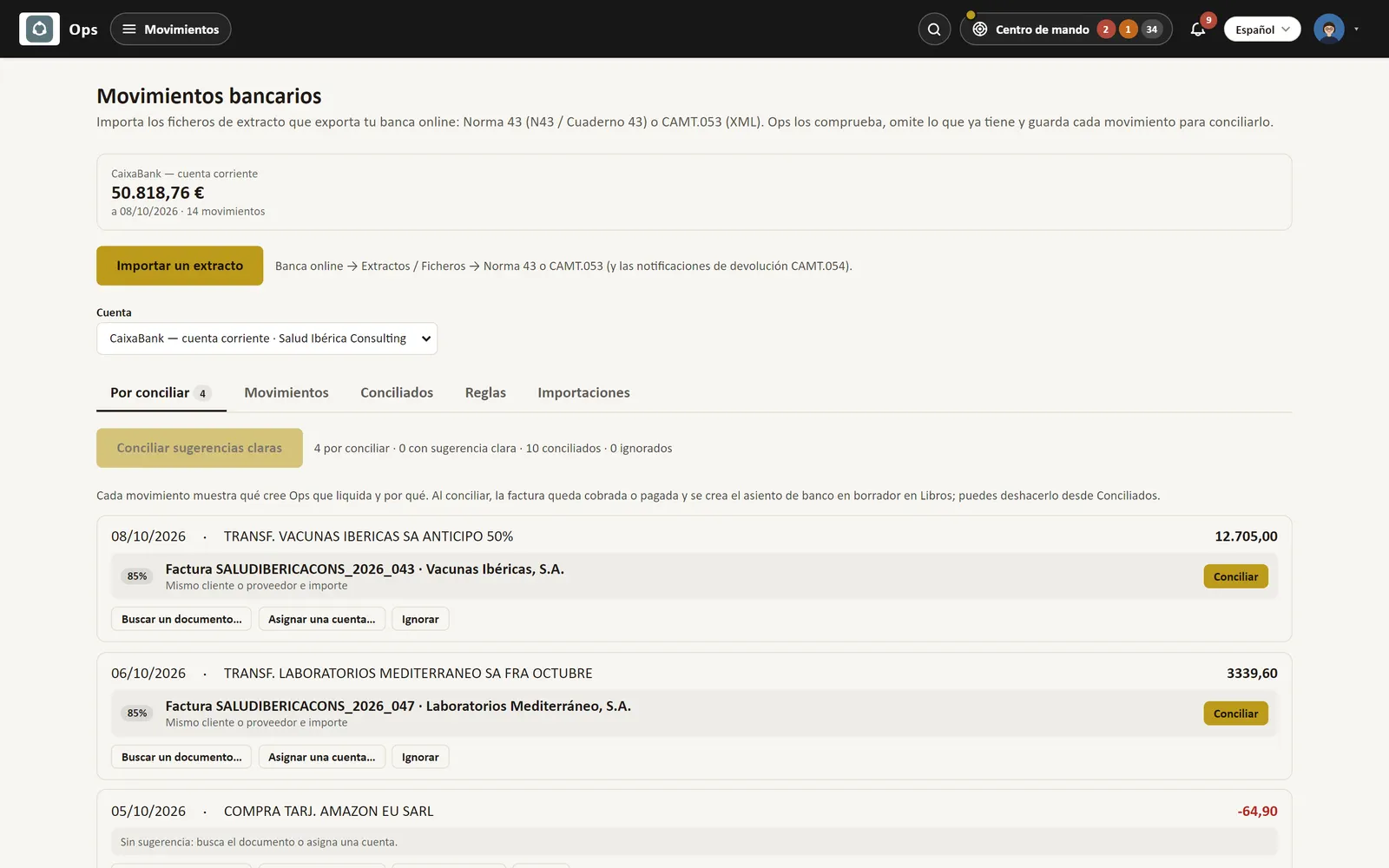
Bank reconciliation: each statement line with the invoice Ops suggests it settles and how confident it is, ready to reconcile in one click.
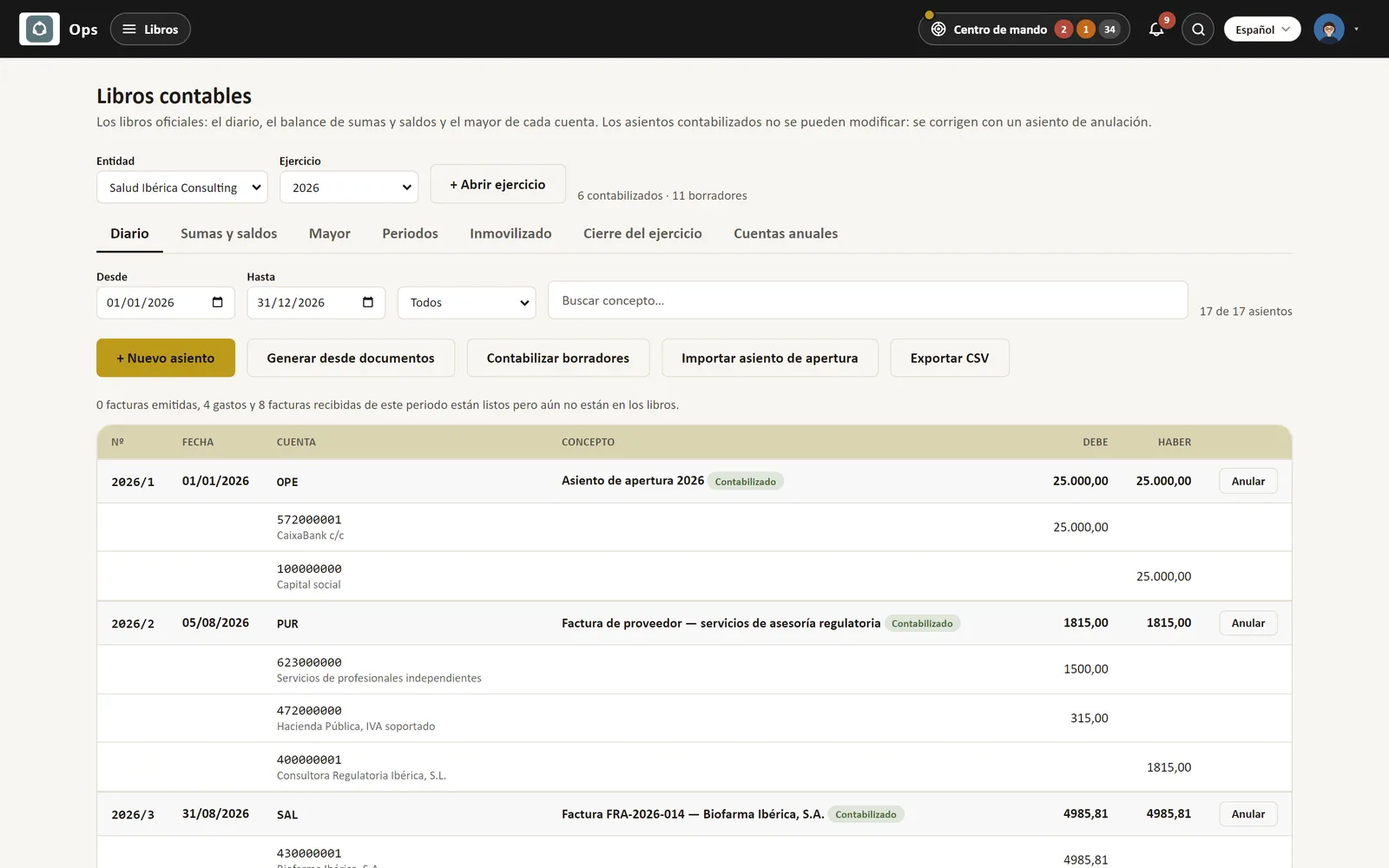
General journal with posted and draft entries on the Spanish chart of accounts, with their accounts, debit and credit.
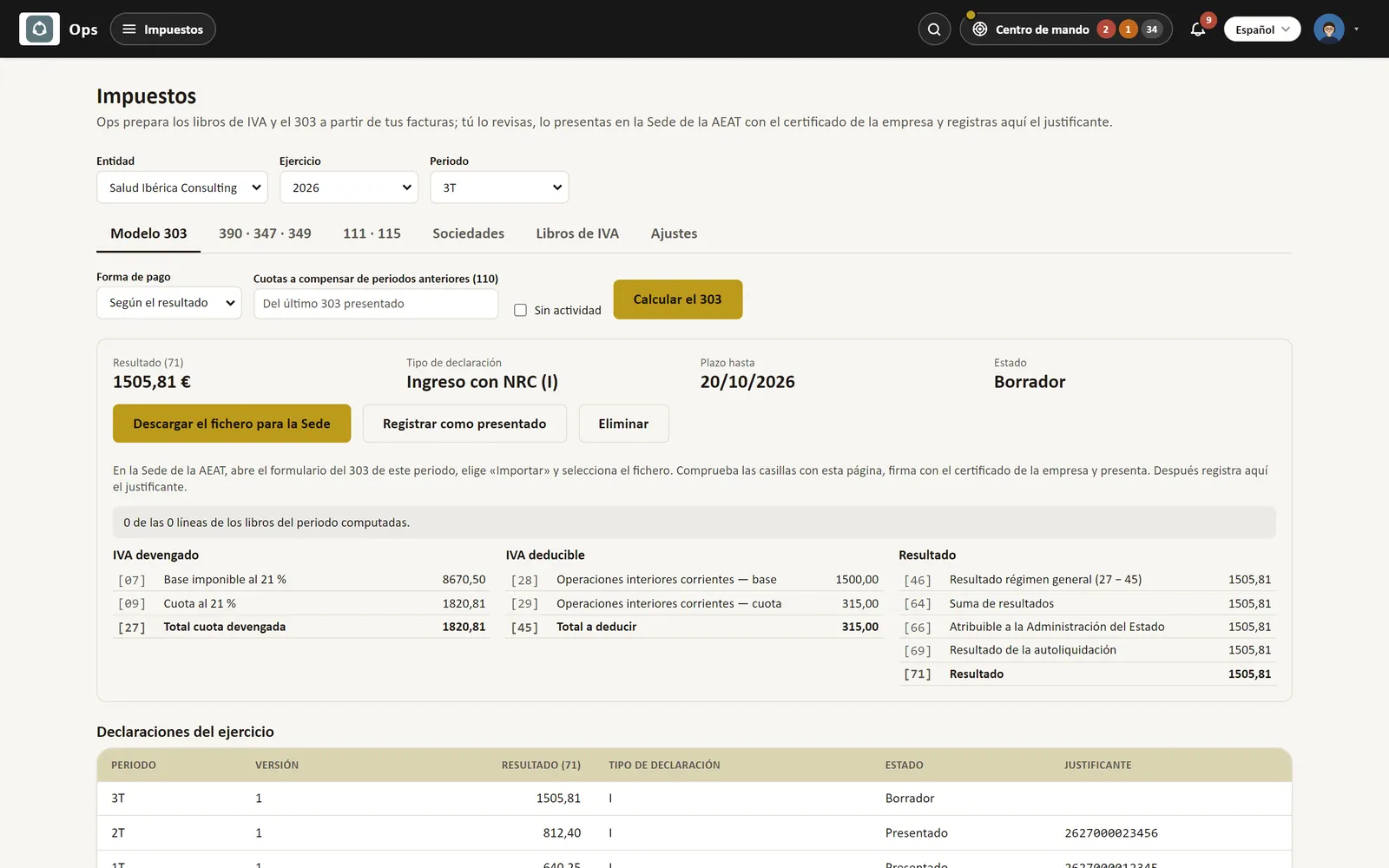
Tax returns: the quarter's VAT return (modelo 303) computed from the VAT books, ready to download for the tax agency, and the year's filings.
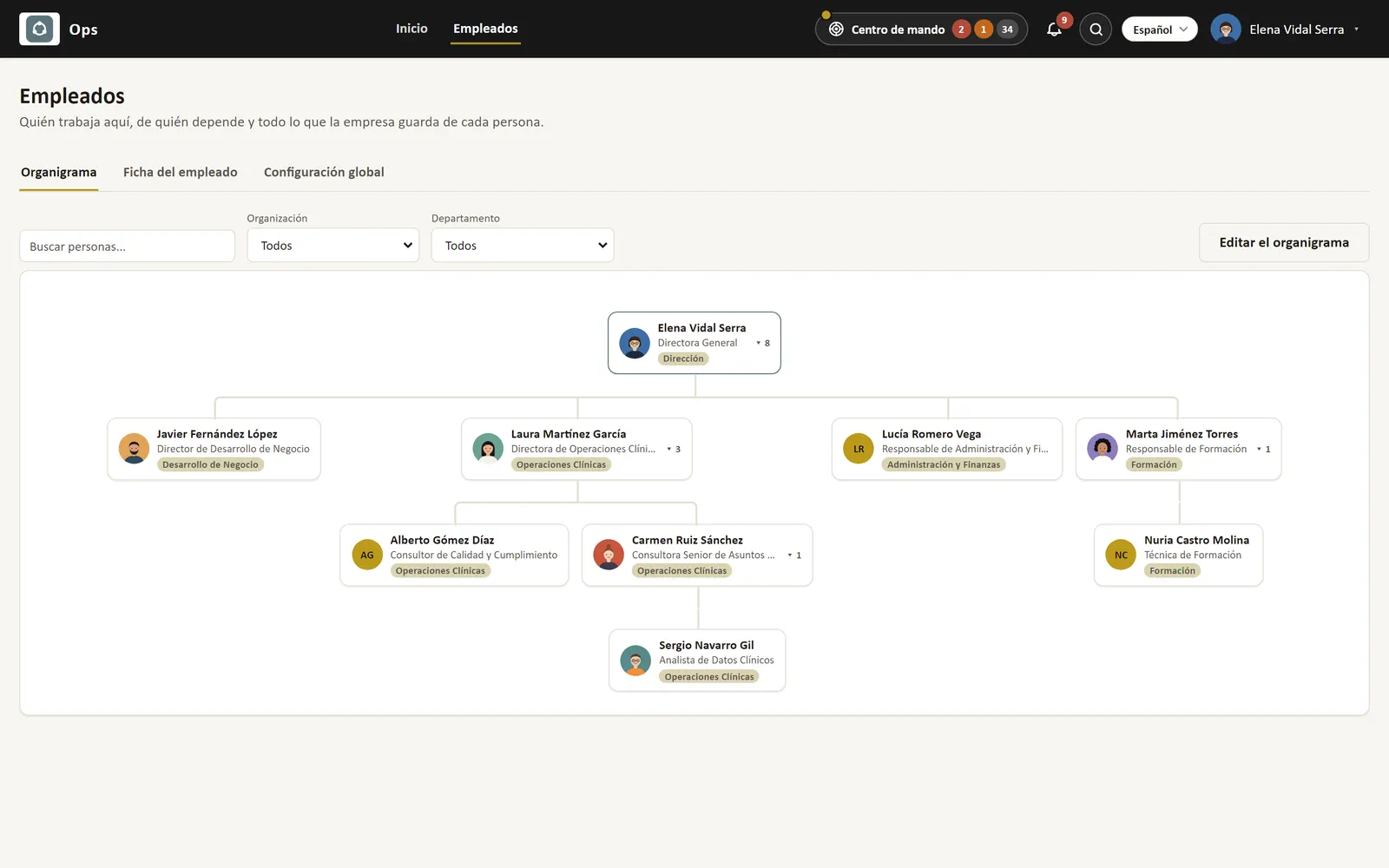
Company org chart with each person, their job title and department.
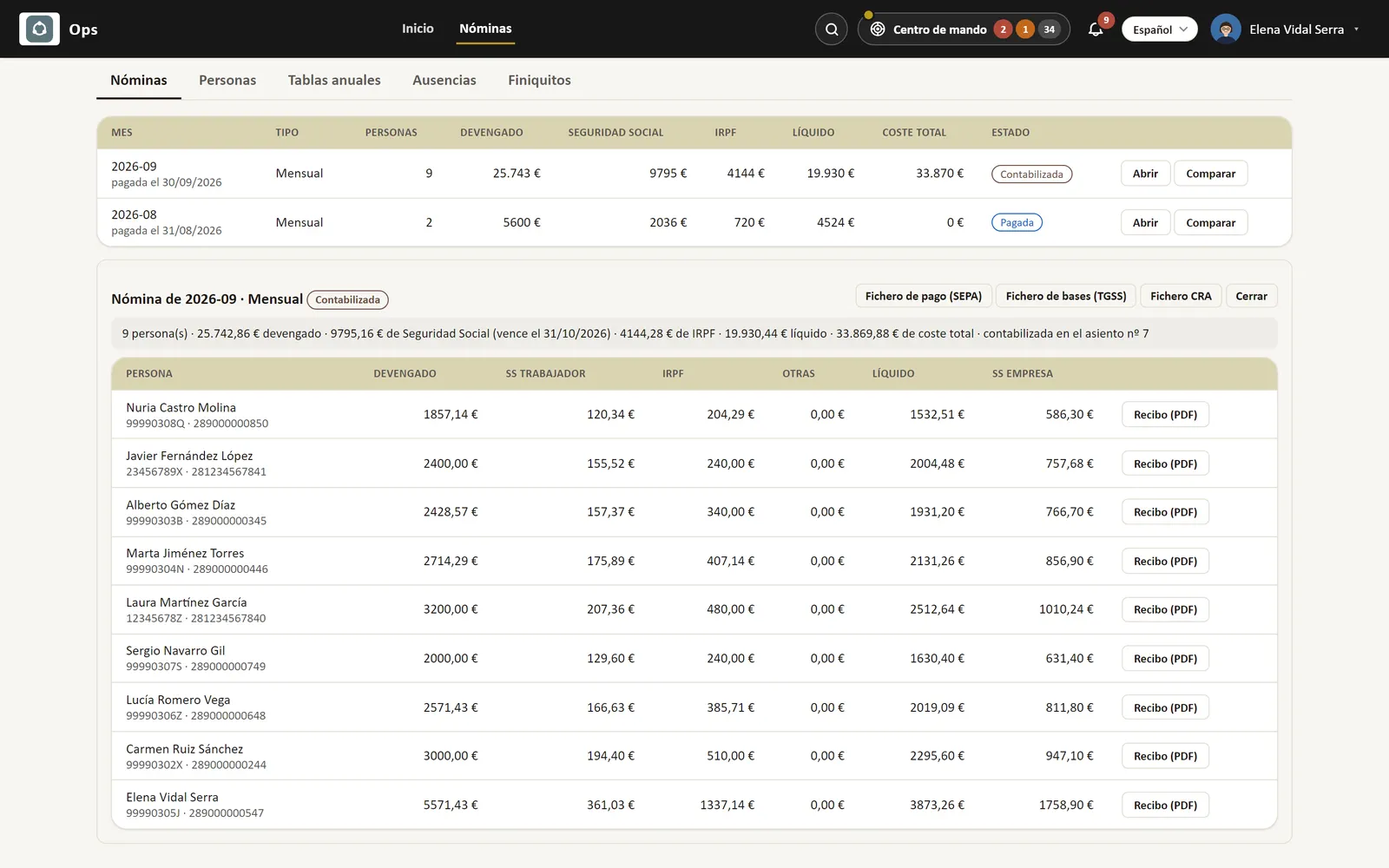
The month's payroll imported from the payroll provider: gross, social security, income tax withholding, net pay and total cost per person, ready to post.

In every plan

In every plan

A Home that tells you what needs attention, reports your way and settings in your hands. On the phone too.

  • My reports: build your own reports and export them
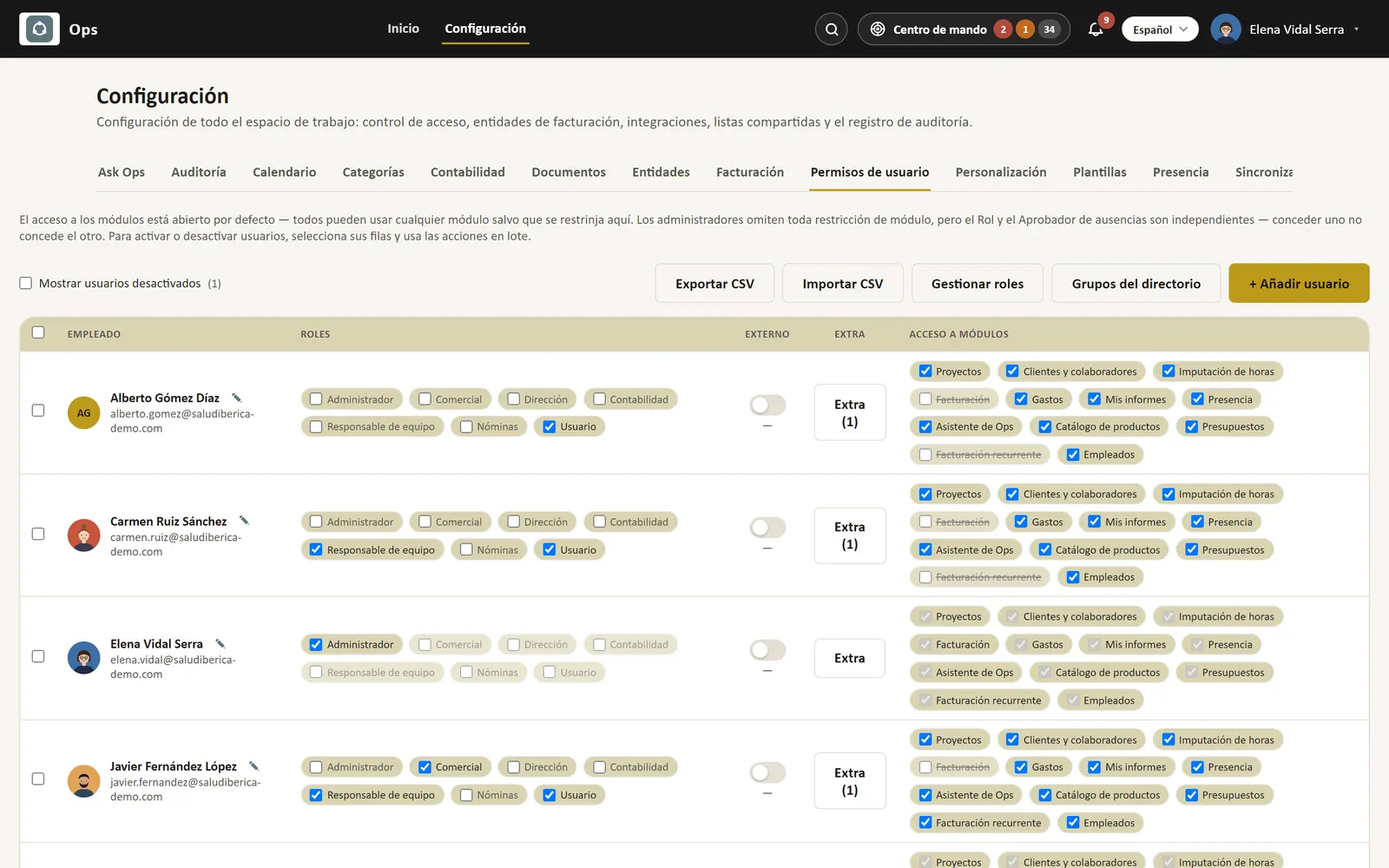
  • Settings: per-module permissions, templates and audit log
  • A Home that shows what needs you today, and omni-search
  • Command center: alerts for what needs attention, and one-click actions
  • Packs to raise invoices, AI documents and questions
  • Your own instance, hosted in the EU, encrypted backup every night
  • Sign in with Microsoft, Google or email
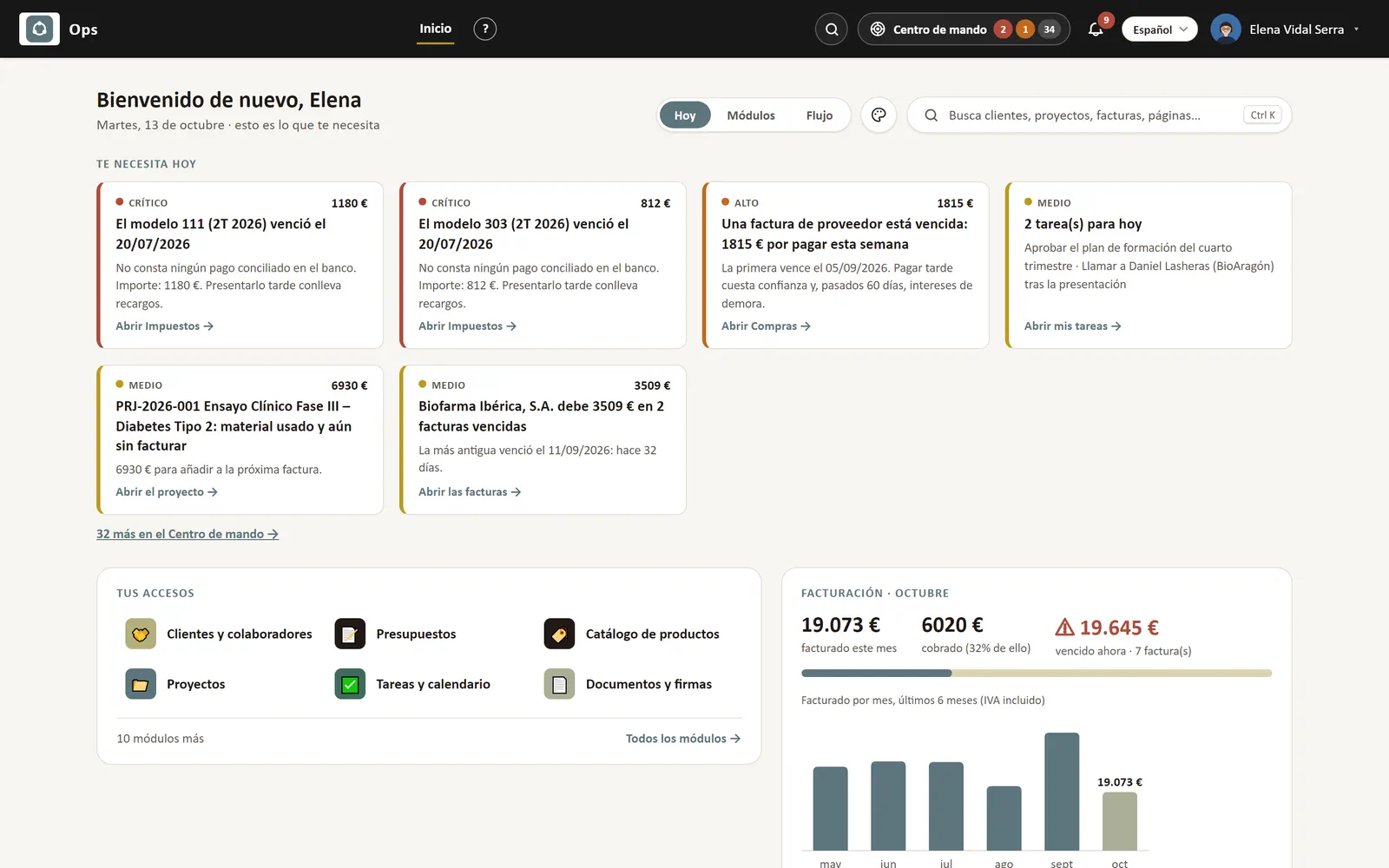
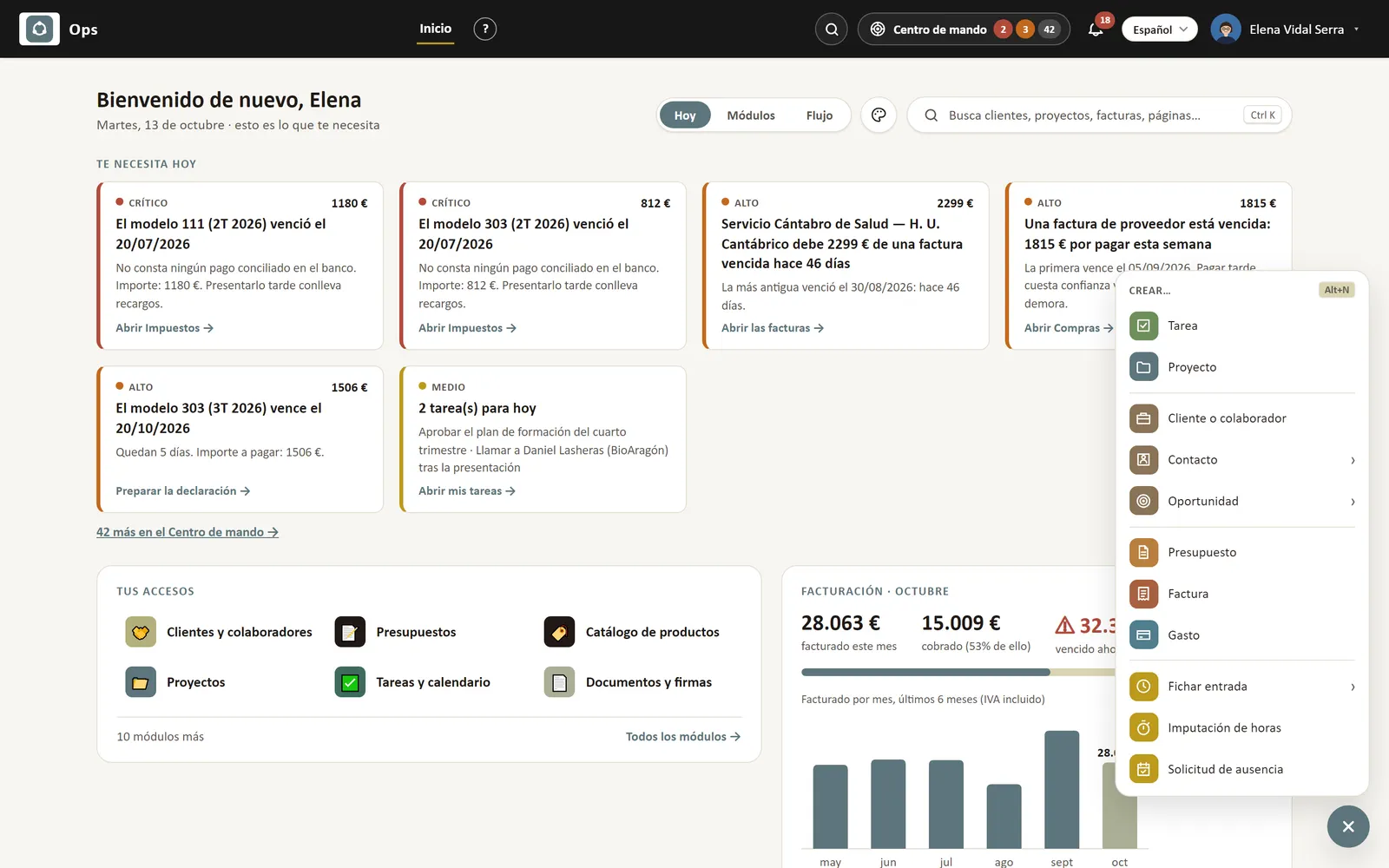
Ops Home in the Today view: prioritised alerts (overdue tax returns, supplier invoices, today's tasks, unbilled materials, overdue payments), shortcuts and this month's invoicing.
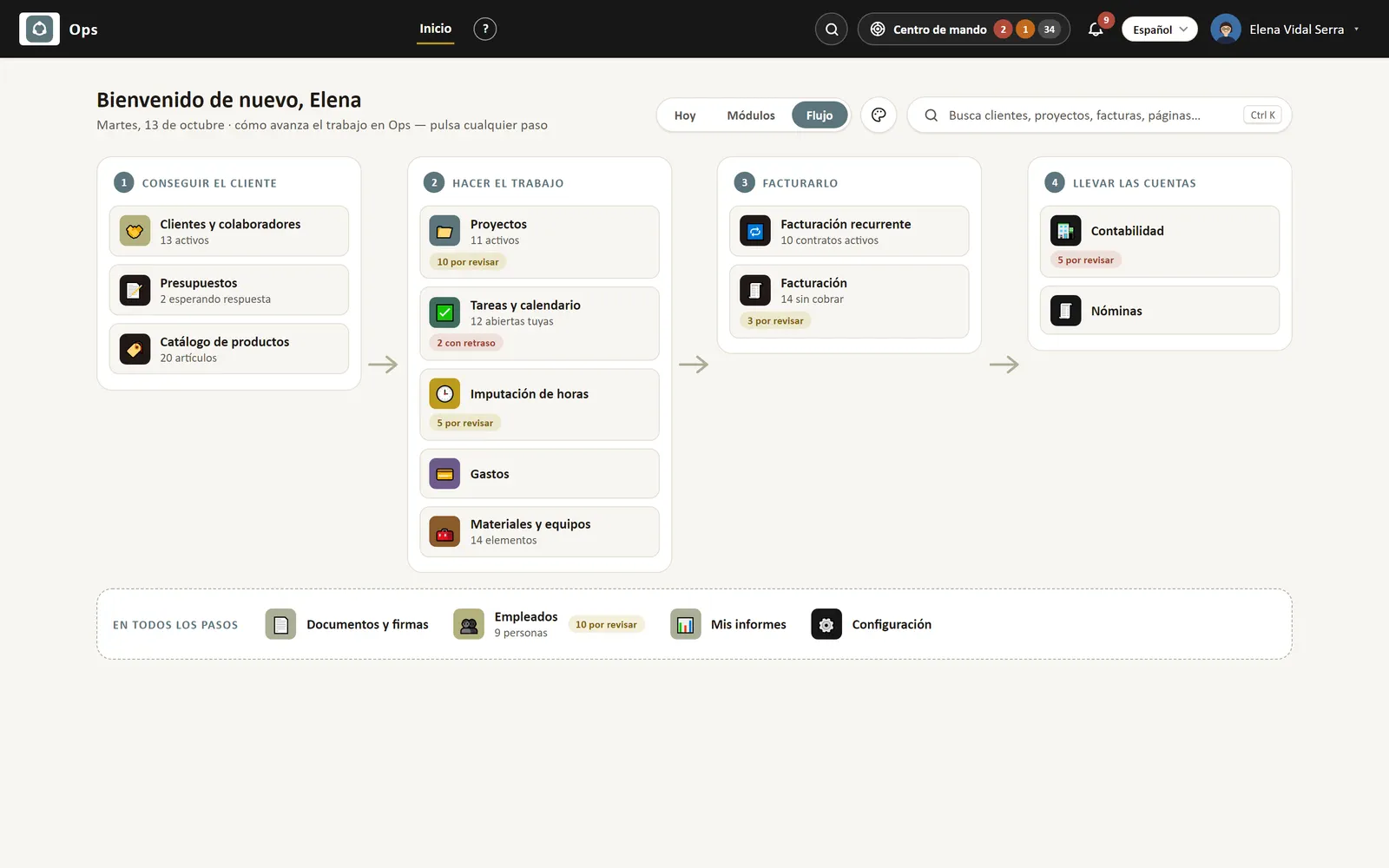
Ops Home in the Flow view: the modules laid out in four steps — win the customer, do the work, invoice it, keep the books — with what is pending in each.
The Ops “+” button open over Home: create a task, project, customer, contact, opportunity, quotation, invoice or expense, clock in or out, log project hours or request leave from any screen (Alt+N).
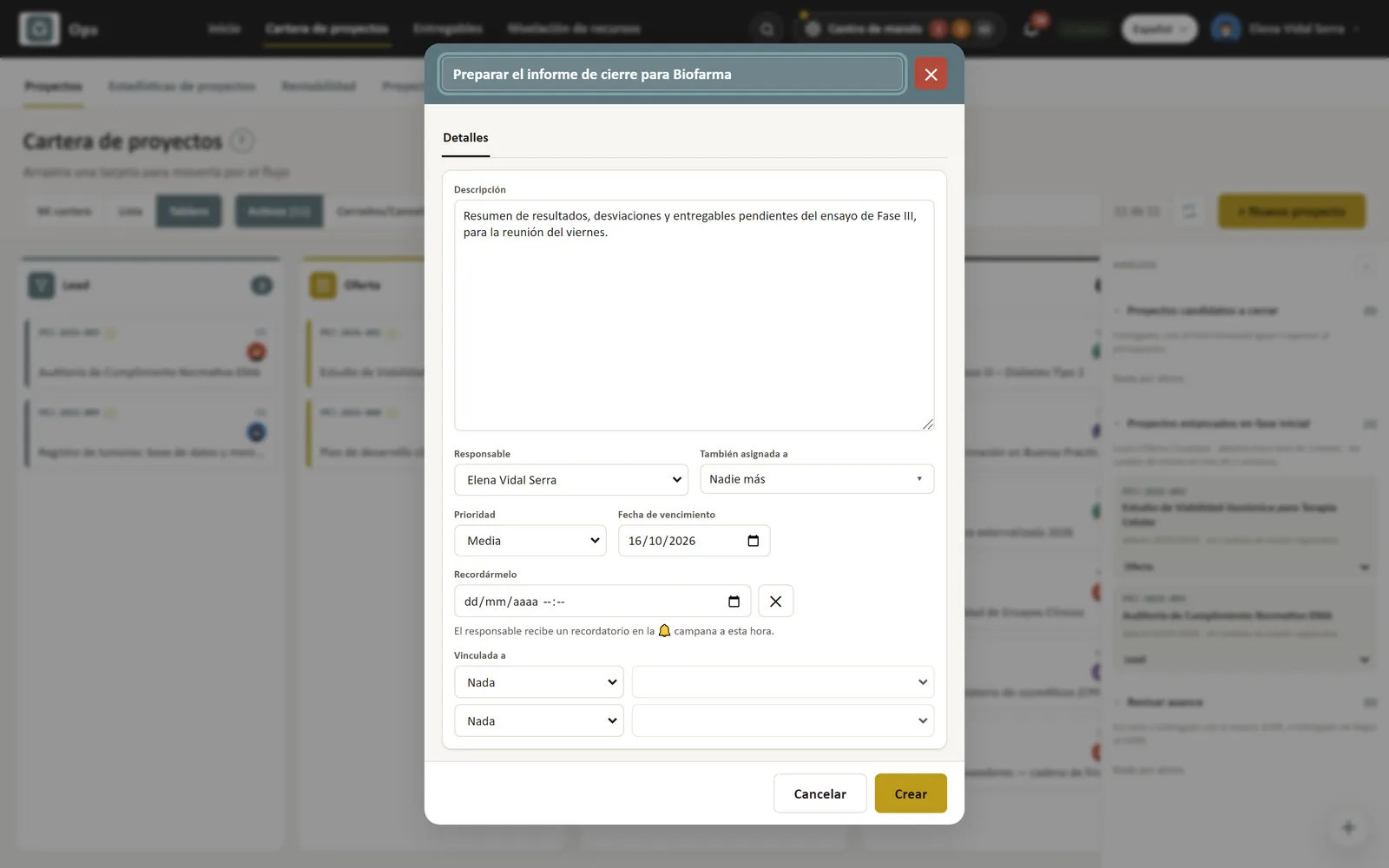
Creating a task with the “+” button without leaving the project board: the Tasks form opens over the screen you are on.
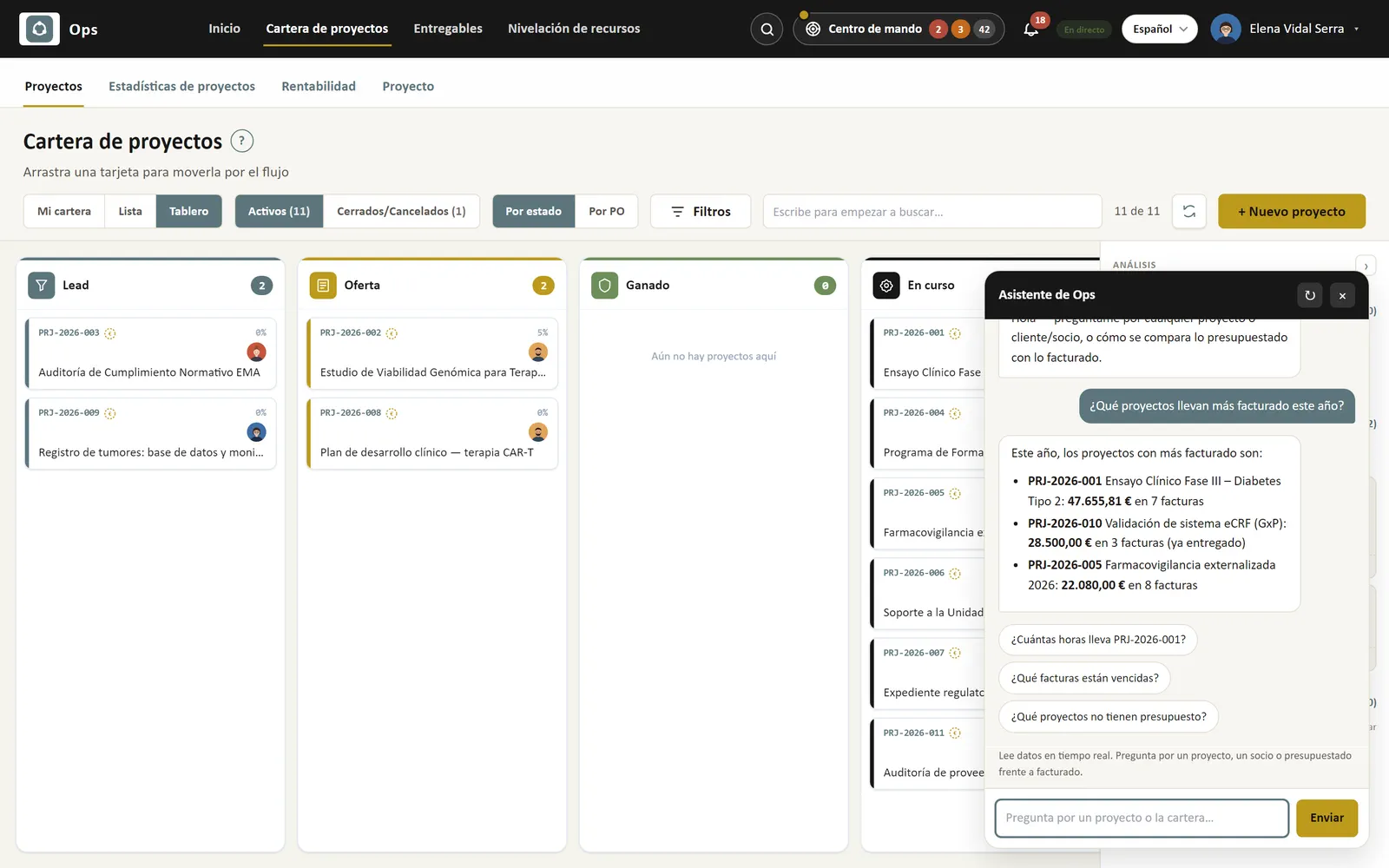
Ask Ops, the AI assistant: “Which projects have invoiced the most this year?” and the answer with each project's amounts, plus suggested follow-up questions.
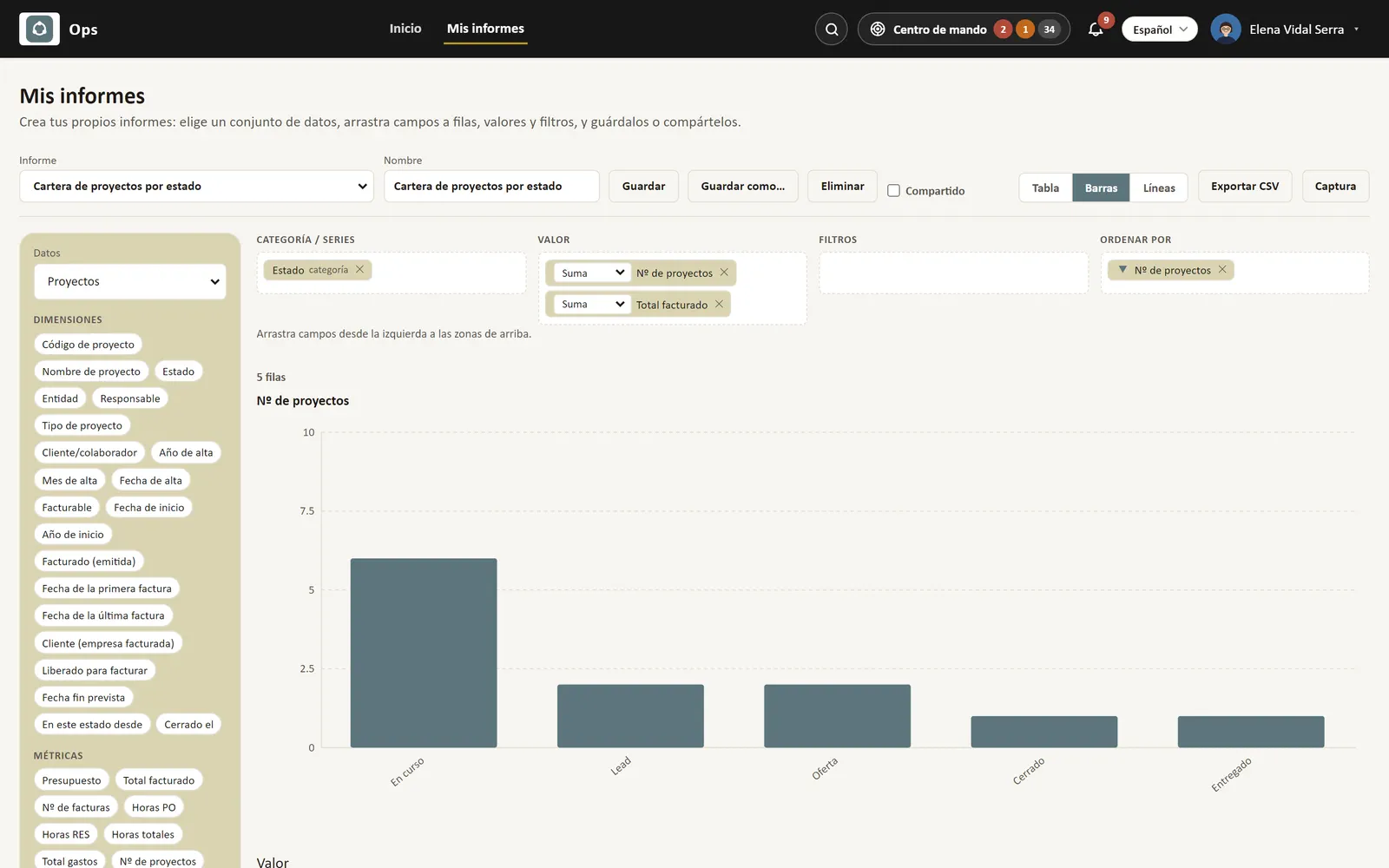
My reports: a saved report — projects by status — as a bar chart, built by dragging fields into categories, values, filters and sort order.
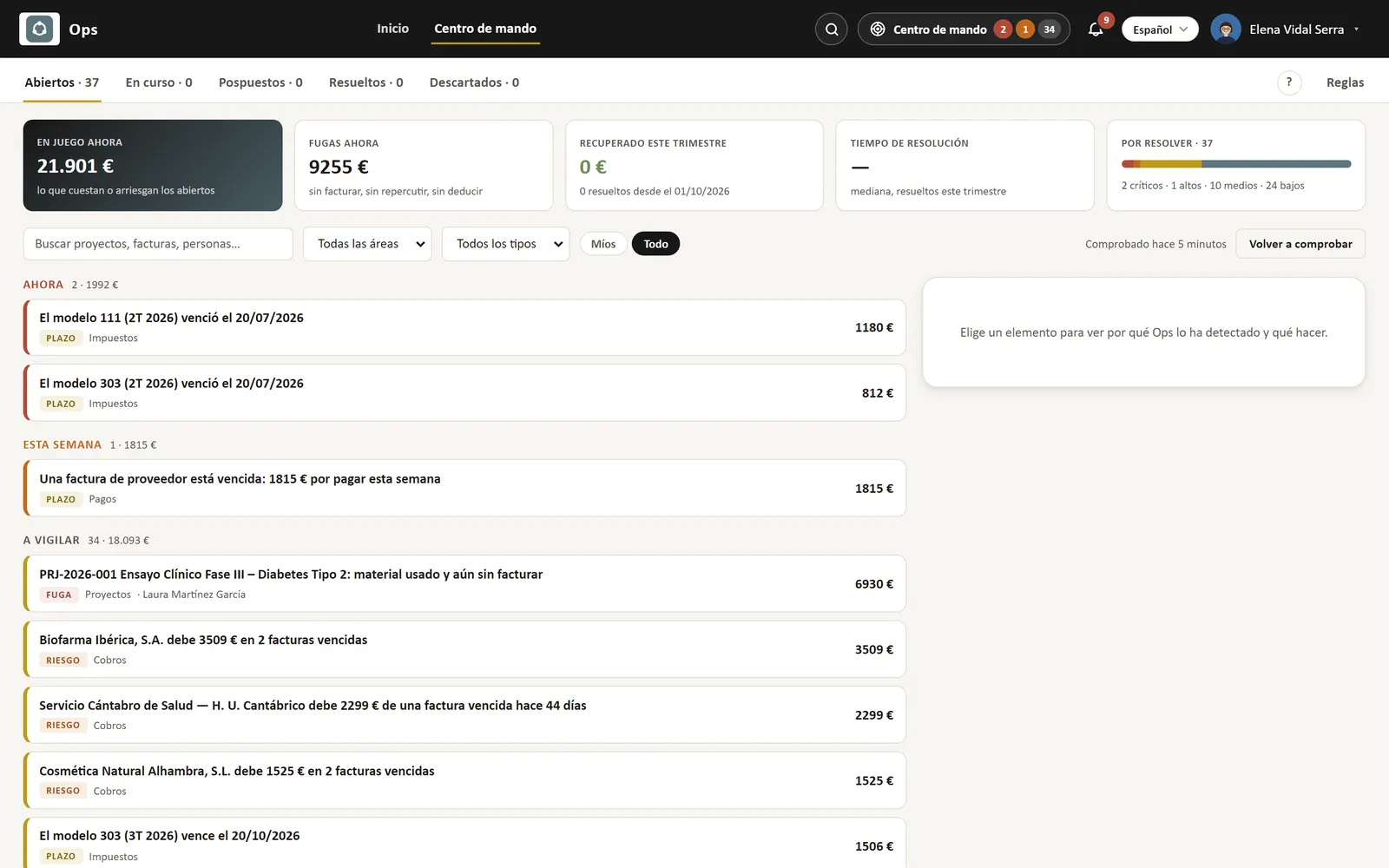
Command center: everything that costs or risks money, sorted by urgency — tax deadlines, overdue invoices, unbilled materials — with its amount and what to do.
User permission settings: what each role can see and do in each module.
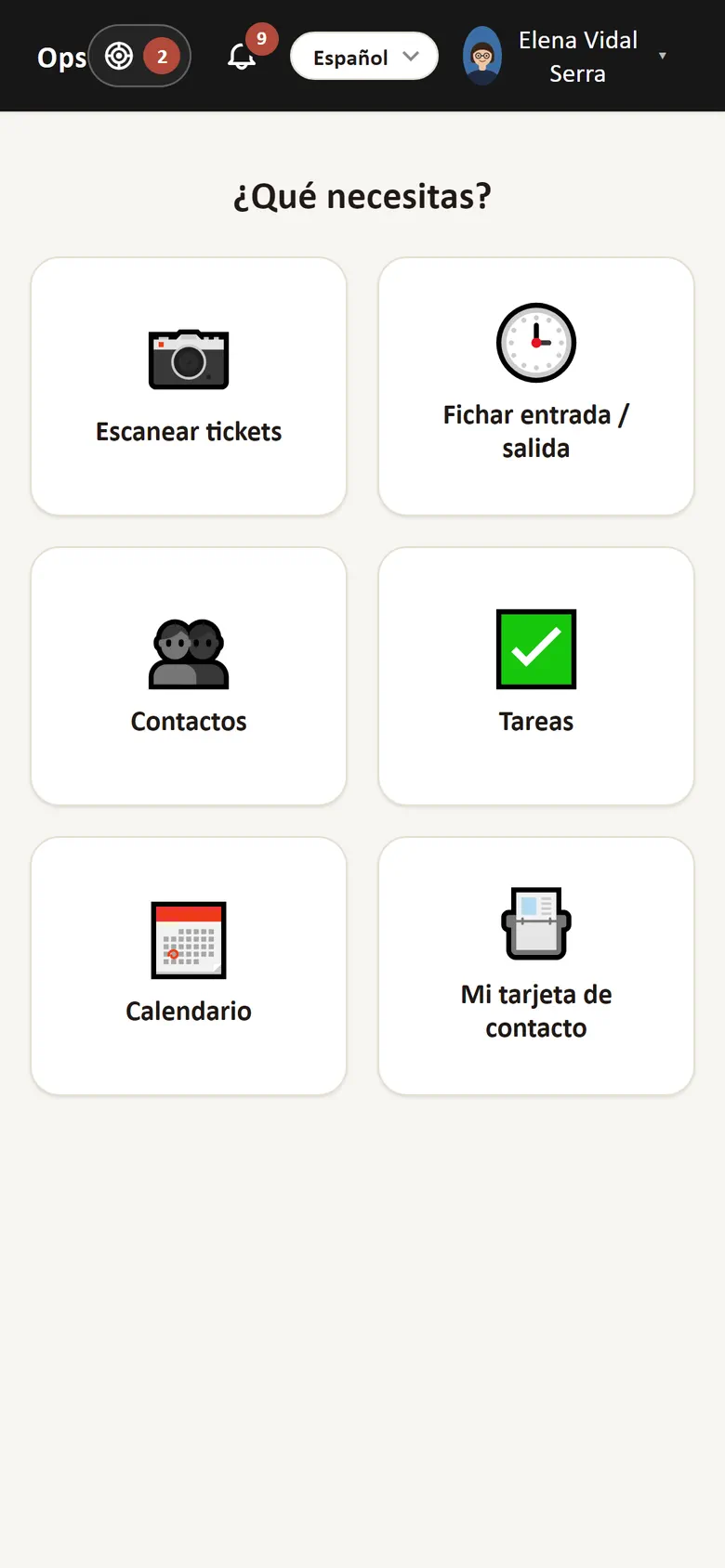
Ops on the phone: home menu with scan receipts, clock in/out, contacts, tasks, calendar and contact card.
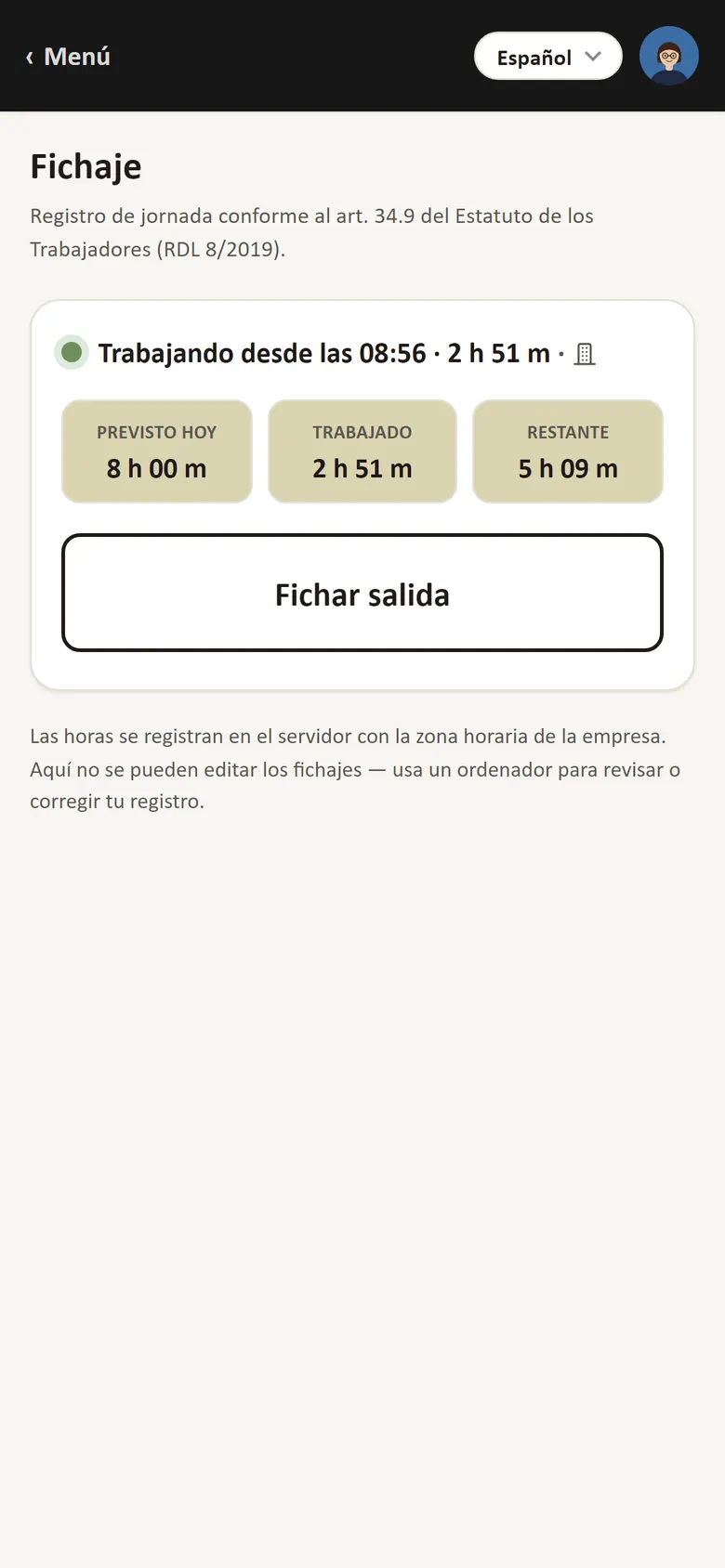
Clocking in on the phone: working since 08:56, expected, worked and remaining hours, and the button to clock out.
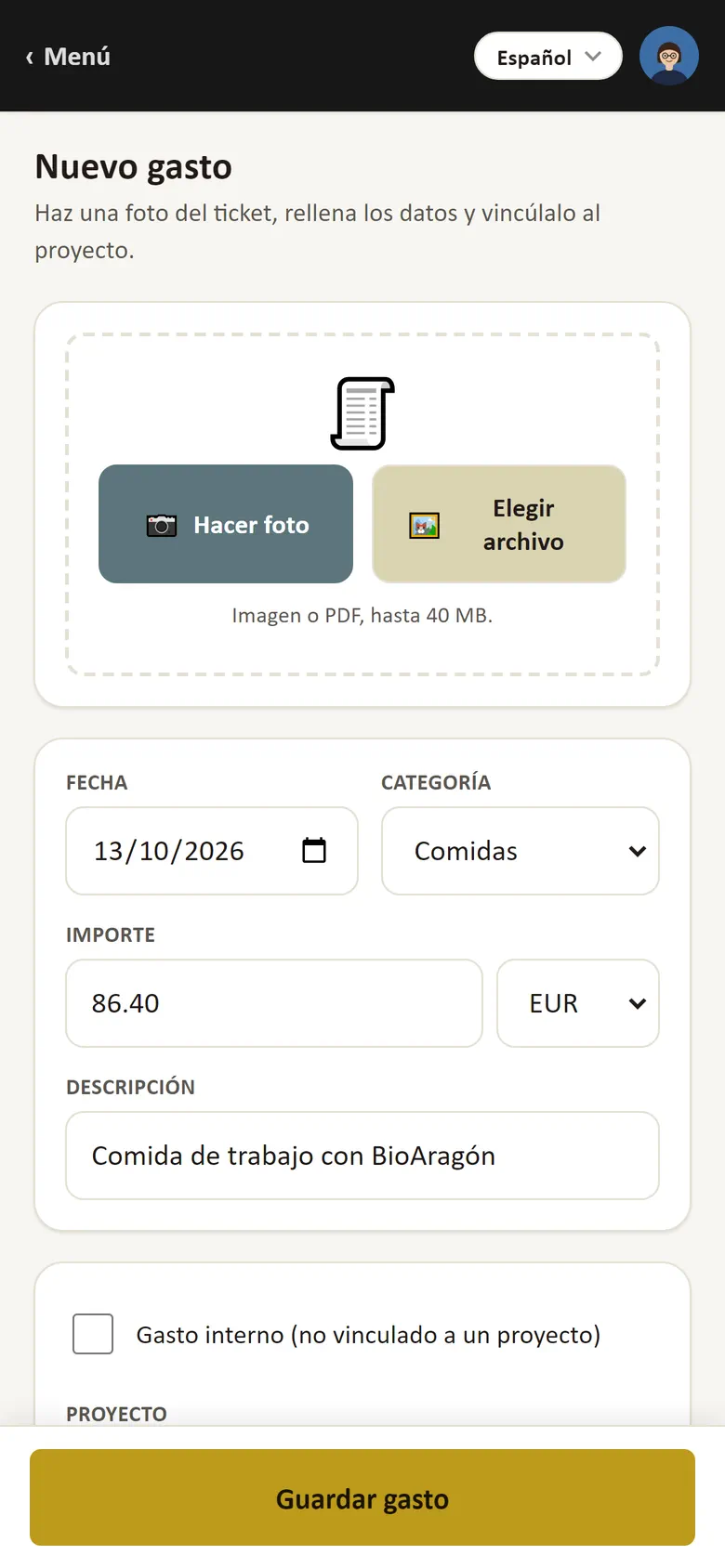
New expense on the phone: receipt photo, date, category, amount, description and project.
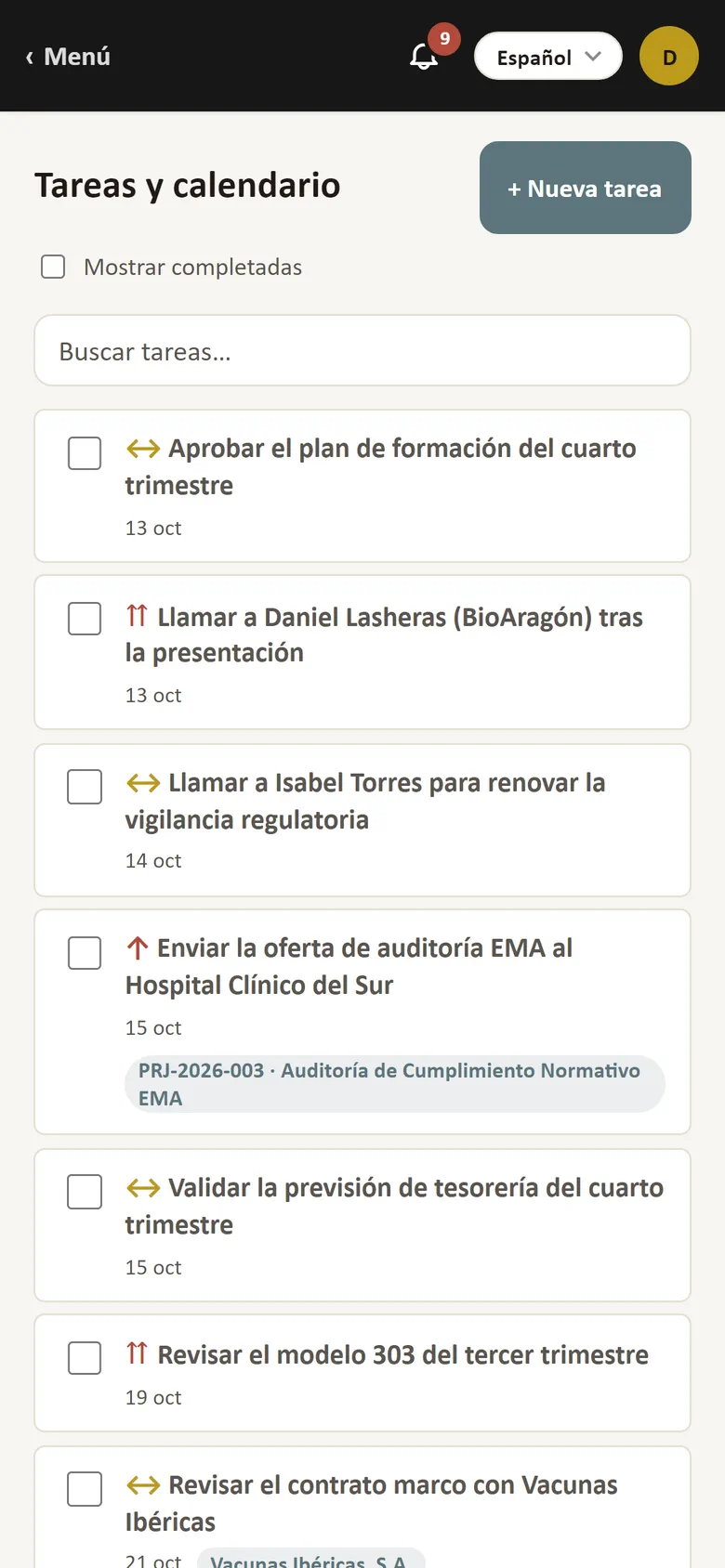
Tasks on the phone: the list of open tasks with priority, due date and project.
Clocking in on the phone: back at the office after lunch and, four hours later, clocking out; the day's register updates at once.

Add-on for any plan

Materials & equipment

Inventory, locations and movements of what your team uses on projects.

  • Materials & equipment: inventory, locations and map
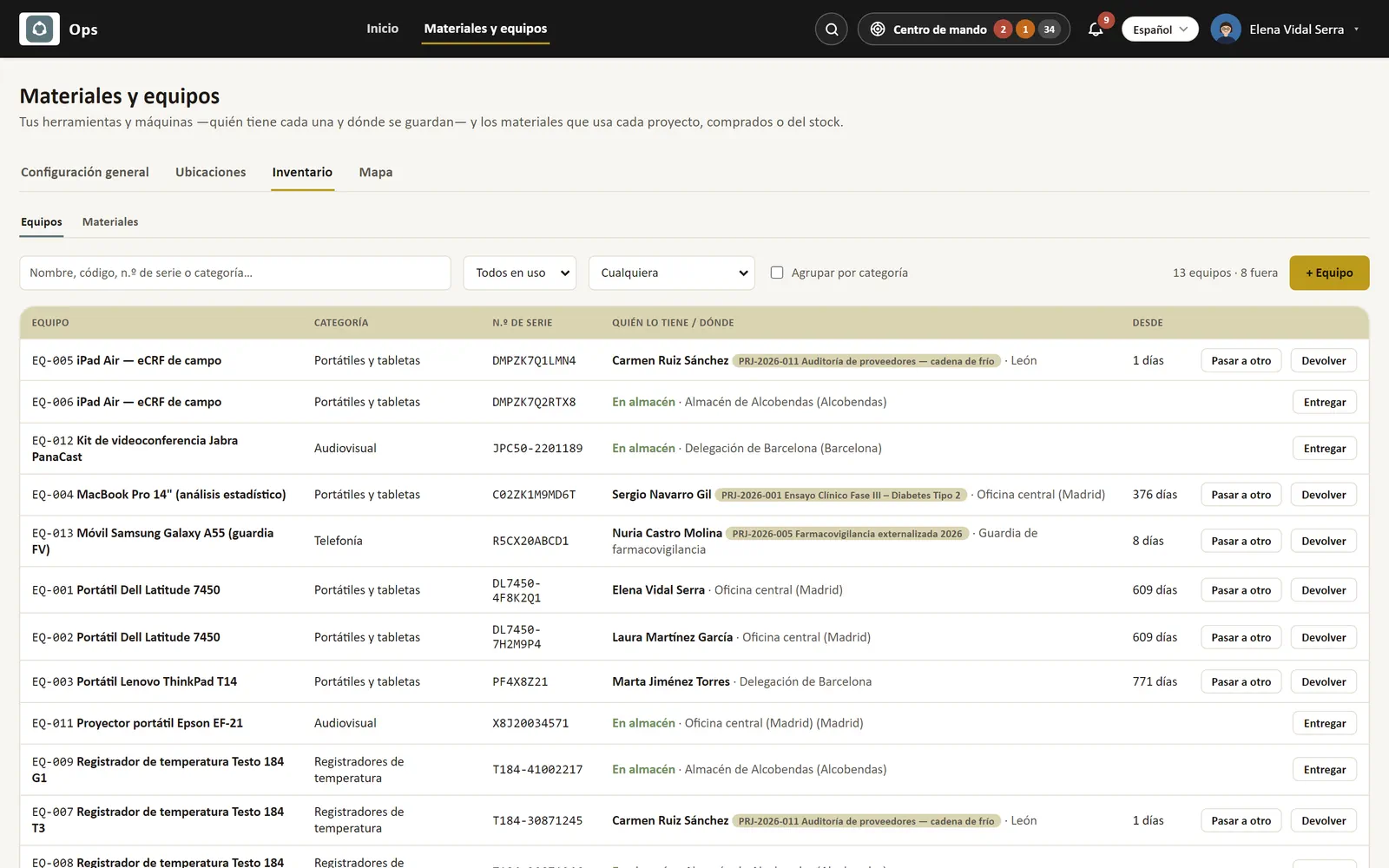
Equipment inventory: who has each laptop, data logger or vehicle, on which project and since when, and what is in storage.

Less admin.
More work.

Start with projects, customers and time. Add invoicing or accounting when you need them. Every plan includes your own instance in the EU, reports and settings.